




2
Trial version
Power Searcher
Powerful tool to find files on your PC


Safe & trusted downloads
The best software, verified by experts

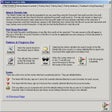
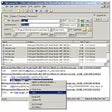
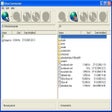
Originally, ScanDir was developed to print a directory listing containing all photos on a CD. And that is about all that ScanDir version 0.1 could do. With the next versions, new and more advanced selections were possible (e.g. the use of Masks and/or multiple Strings and/or selections based upon file size and/or file date). Operations on the internal list of selected items were added. With ScanDir you can Delete, Copy, Move, Rename, Join, Split and change the Attibutes of selected files. The selected items list can be printed, saved as a plain ASCII text file or as a .CSV file.
Instead of scanning a drive, ScanDir can also process a pre-defined list of directories. It is also possible to specify an exclude list of directories which should be skipped during scanning.
The latest additions to ScanDir include the ability to View textfiles, Play media files, Open (run) executables and calculate an MD5 checksum. In version 1.0, the Rename function has new options.
This is what ScanDir has to offer:
Trial version
Powerful tool to find files on your PC
Free
Searchmonkey III: Fast, precise desktop search for large file sets

Free
Efficient Command-Line Fuzzy Finder

Free
InFile Seeker is a practical tool designed to search for words or entire strings inside many text-based files.

Efficient File Management with Windows Search
File search utility with advanced query tools

Perform rapid searches on your computer
Powerful local search engine
Locate or search for text strings in multiple files

Find duplicated files on your hard drive
Quick local search engine for all types of files
Find files on your PC or LAN within seconds

The ultimate text searcher for Windows
Browse your Xbox and computer drives and manage ISO files

A full version app for Windows, by Amazing-Share.