

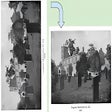
Rotate Page in Google Books for Chrome
Rotate Page in Google Books
- Free
- 4.4
- 10
- V 0.0.2
Rotate Page in Google Books
Rotate Page in Google Books is a free Chrome add-on developed by edc.app.dev. This add-on allows users to easily rotate selected pages in Google Books results.
When browsing through a book in Google Books, users can click on a specific page to access rotation arrows in the upper corners. These arrows, displayed in green circles, enable users to rotate the page in 90-degree increments.
To use Rotate Page in Google Books, users need to follow a few simple steps. First, they must search for a book that has a page requiring rotation. Once they've found the desired page, they can click on it to reveal the rotation arrows. Clicking on the arrow in the top-right corner will rotate the page to the right (clockwise), while clicking on the arrow in the top-left corner will rotate the page to the left (anti-clockwise).
Overall, Rotate Page in Google Books provides a convenient solution for users who want to view certain book pages in a different orientation. With its intuitive interface and straightforward functionality, this add-on enhances the reading experience for Google Books users.
Rotate Page in Google Books for Chrome
- Free
- 4.4
- 10
- V 0.0.2
Top downloads

Winning Eleven 2012 APK Download v1.0.1
Explore a fun plug-in

Kinemaster for Pc - Download For Windows/Mac
Desktop video editing made accessible and efficient

Netmirror Extension
Efficient HTTP Header Management with Netmirror Extension

ZED: Zoom Easy Downloader
A free app for Chrome, by Zoomcorder.com.

Instant Data Scraper
A quick scraper for browser-based data collection
Discover more programs

Rule Engine Extension Beta Version
- 4.4
- Free
Rule Engine Extension Beta Version

MixederContentFilter
- 4.9
- Free
MixederContentFilter Overview

Versa X - Contextually aware AI assistant
- 4.8
- Free
A free program for Chrome, by brendan.elton.

Destiny Fireteam Finder
- 4
- Free
Fireteam Finder - A Great Extension for a Destiny Game

拡張を切り替えたがっているんだ
- 4.7
- Free
Extension Management Made Easy

Bookmarks Tagging
- 4.8
- Free
Bookmarks Tagging - Manage Your Bookmarks with Ease

Claw4Twitter
- 4.9
- Free
Claw4Twitter: Enhancing Your Twitter Experience

Social Insights for Dynamics 365 and LinkedIn
- 4.5
- Free
Social Insights Chrome Extension Review

AnimeSchedule Enhancer
- 4.7
- Free
Enhance AnimeSchedule with AnimeSchedule Enhancer

ReviewStudio Extension
- 4.4
- Free
ReviewStudio Extension

Textarea Character Counter
- 4.6
- Free
A free app for Chrome, by amithkumaran.

Pexinxas
- 4.2
- Free
Pexinxas: Find the Best Prices