

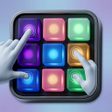
RhythmLab Beat Maker Pro for Android
<h2>RhythmLab Beat Maker Pro: Portable beat sketching on Android</h2>
- Free
- 4.4
- V 1.0.3
<h2>RhythmLab Beat Maker Pro: Portable beat sketching on Android</h2>
RhythmLab Beat Maker Pro, by Minh Tam Nguyen, is a mobile tool for sketching beats and rhythms in casual, everyday settings. It provides touch-driven drum pads, multi-track sequencing, adjustable BPM and real-time recording so users can build loops and capture ideas on Android devices. The app includes a library of sound samples, pre-recorded loops and built-in effects for quick customization. It targets beginners and hobbyists seeking an accessible entry point into beat-making.
How RhythmLab supports quick beat creation
RhythmLab centers on live pad play and pattern building, with interactive drum pads and finger-drumming controls for immediate performance. The app offers multi-track sequencing and adjustable BPM for arranging layered rhythms, plus real-time recording and playback to capture ideas on the fly. Built-in effects and filters let users alter tones without external tools, enabling short composition sessions that emphasize rhythmic development rather than lengthy production chains.
How the app fits into a mobile workflow
Designed for Android devices, RhythmLab runs as a mobile production companion that you can use anywhere, without external hardware. Core beat-making features and the included sound library work offline, while an internet connection is needed to download updates or new sound packs. Export options allow creations to be saved in standard audio formats, which helps when moving sketches into other software or sharing work with collaborators.
Is RhythmLab approachable for beginners?
The interface prioritizes ease of use over a steep learning curve, presenting a touch-based layout aimed at non-technical users and hobbyists. User feedback highlights the simplicity and the perceived quality of built-in sound kits, making it a friendly environment for learning basic rhythm composition. Low-latency performance during live pad play is a stated focus, which supports responsive finger-drumming practice and short performance sessions.
Where RhythmLab stops short of a studio
RhythmLab is positioned as a lifestyle and hobbyist tool rather than a full-scale professional studio replacement, so expectations for advanced mixing and mastering should be calibrated accordingly. While it handles sketching, sequencing and exporting, projects that require deep channel processing or professional-level routing typically exceed the app's intended scope. Use it principally as a creative sketchpad for rhythmic ideas rather than an end-to-end production environment.
Practical choice for hobbyists who want a mobile rhythmic sketchpad
RhythmLab is a practical option for aspiring producers and hobbyists who want a compact space to capture and experiment with beats. It is not positioned for full-scale studio work, so extended mixing and advanced production usually move to desktop tools. Pro tip: use short sessions to lock down grooves and transfer final arrangements to a desktop DAW for detailed editing and mastering.
Pros
- Low-latency touch pads for responsive finger-drumming
- Built-in sample library and pre-recorded loops for quick composition
- Exports to standard audio formats for sharing and further editing
Cons
- Designed primarily for hobbyists, not professional studio workflows
- Advanced mixing and mastering features are limited
- Some updates and new sound packs require an internet connection
RhythmLab Beat Maker Pro for Android
- Free
- 4.4
- V 1.0.3




