

Revixa: AI Photo Enhancer for Android
AI-driven photo repair and colorization for casual restorers
- Free
- 4.4
- 3
- V 1.0.5
AI-driven photo repair and colorization for casual restorers
Upscales low-resolution images, removes scratches, and colorizes monochrome photos using one-tap AI tools. Revixa: AI Photo Enhancer from Marketera Labs puts restoration, portrait retouching, and background removal into a single Android photography app. The interface groups tools like AI Photo Enhancer, Old Photo Restoration, and Low-Light Correction for fast edits. It fits casual photographers, social media users, and family historians who need quick, phone-based restoration without manual layer work.
What is Revixa used for?
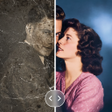
Revixa focuses on rescuing and improving existing images: upscaling grainy or compressed photos with an AI Photo Enhancer, repairing physical damage on scanned prints through Old Photo Restoration, and applying AI Colorization to black-and-white images. The app also offers portrait retouching that adjusts skin texture and eyes, along with object and background removal, so a single workspace covers both aesthetic touch-ups and archival repair.
How does it handle restoration, colorization, and retouching?
The app applies separate AI algorithms to distinct problems: an Image Sharpener reconstructs detail in blurry or out-of-focus shots, while restoration tools remove scratches, stains, and tears from scans. Colorization assigns natural-looking palettes to monochrome photos automatically. Portrait-specific models aim to keep facial integrity while sharpening details. One-tap Restoration packages several of those steps into a single action for rapid results on mobile devices.
Is it suitable for casual users or family historians?
Targeting casual photographers and family historians, the app reduces technical overhead by placing advanced actions behind simple controls, which helps users digitize and restore old albums from a phone. The app runs on Android devices and the developer notes broad compatibility. User feedback highlights speed and ease of use, though some comments point out that AI facial reconstruction can vary in accuracy compared to original subjects.
A practical tool for quick mobile restorations with a note on AI limits
The app is a clear option for people who want fast, phone-based photo rescue and colorization without manual editing. It makes archival tasks accessible to nonexperts and speeds routine portrait fixes. Although automated results are often dramatic, expect variability in facial reconstruction and occasional differences from original likenesses; users who need exact forensic-level accuracy should validate outputs carefully before use in critical projects.
Pros
- One-tap Restoration combines multiple repair steps into a single action
- AI Colorization adds natural-looking color to monochrome and sepia photos
- Dedicated Old Photo Restoration removes scratches, stains, and tears
- Portrait retouching targets skin, eyes, and hair while preserving facial integrity
Cons
- AI facial reconstruction can vary in accuracy compared to originals
- Android-only availability restricts use to mobile devices on that platform
- Automatic edits may require fine-tuning for archival fidelity
Revixa: AI Photo Enhancer for Android
- Free
- 4.4
- 3
- V 1.0.5
Top downloads

Blackmagic Camera
A powerful free tool for video professionals

Hypic - Photo Editor AI Art
AI-powered photo editing software

LMC8.4
Advanced camera controls for mobile photography

Efiko: Aesthetic Filters Eff
Trendy presets for editing photos and videos

Presets for Lightroom - Koloro
Lightroom-inspired media editor