




4.7
Free
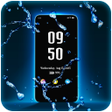
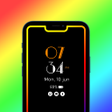
Amoled Photo Clock Wallpaper Always On Display
A free app for Android, by StarAppsTech.


Safe & trusted downloads
The best software, verified by experts
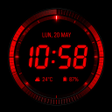
Always-visible Android clock with AOD and live wallpaper
Reloj de Pantalla, from Sandrix Technology, turns an Android device into a persistent timepiece for home, lock screen, or bedside use. The app supplies both digital and analog clock faces, live wallpaper support, and Always-On Display functionality so time remains visible without opening apps. It offers color, font and size controls alongside night clock dimming and neon or classic themes. It targets Android users who want a configurable, always-visible clock interface for daily or bedside use.
The app places a dedicated clock directly on primary display surfaces by providing multiple display targets: live wallpaper on the home screen, a lock-screen overlay, and an Always-On Display mode for compatible panels. Night clock mode dims brightness for bedside viewing. These deployment options let the clock remain visible without launching a separate application, so the device shows time at a glance from several common phone states.
Customization goes beyond simple color swaps. Users can edit colors, fonts, and sizes and choose between digital or analog layouts, including neon-style and classic face variants. The app exposes granular appearance controls for the clock elements so users can scale the display and select a visual style that matches a device theme. Preset faces speed setup while per-element controls allow deeper visual adjustments.
Battery impact is explicitly addressed in the app design. The developer optimized performance for minimal power use during persistent display modes, and night clock reduces brightness for lower consumption at bedside. Despite those measures, keeping the screen or AOD visible consumes more energy than a fully off display; users should expect higher drain when the clock runs continuously compared with standard standby.
Setup focuses on direct, visible outcomes rather than technical configuration. The app installs on modern Android devices and exposes options to assign the clock as a wallpaper or overlay from its menu, a workflow that users report finds easy to configure. Sandrix designed the interface for quick selection of faces and assignment to the home or lock screen, reducing the need for advanced technical knowledge during everyday use.
The app suits Android users who need a constantly visible clock and detailed visual control, offering a defensible mix of customization and efficiency. Expect a trade-off between continuous visibility and higher power draw when the display remains active. For bedside or always-on scenarios the app is a sensible choice; users who require the longest possible battery life should limit persistent-display modes.
Free
A free app for Android, by StarAppsTech.
Free
StandBy iOS: Always On Display
Free
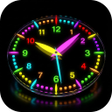
Transform Your Screen with VibeTick: Neon Clock Wallpaper
Paid
A full version app for Android, by Easy Dev Sol.