




4.7
Paid
UsA Florencia Neo - USA174
Stylish and Functional Watch Face for Wear OS


Safe & trusted downloads
The best software, verified by experts
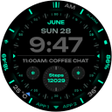
<h2>Digital neon watch face with eight complications for Wear OS</h2>
RE68 - Digital Neon Runner, from RECREATIVE Watch Faces, is a minimalist Wear OS watch face designed to present clear time and date information with a futuristic neon aesthetic for smartwatch owners. It synchronizeshour time, exposes multiple complication slots and offers six font choices plus color variants for visual tuning. The design targets users who want legible, configurable digital readouts on modern Wear OS devices while conserving battery through an efficient engine.
RE68 replaces crowded faces with a pared-down digital layout that highlights time and date, reflecting the developer's focus on clarity. It supports synchronized 12/24-hour display and full day/date presentation, so users who prioritize immediate readability see the core information at a glance. The face is built for Wear OS devices and positions essential data centrally rather than adding decorative elements.
The face offers notable customization depth through eight complication slots, six selectable font styles, and multiple color variations. Users can assign shortcuts or data to complication positions via the long-press customize menu, and font choices let you adjust numeric weight and spacing. For quick reference, the customization targets practical changes to layout and data, not extensive widget ecosystems.
RE68 uses the Watch Face Format (WFF), a modern engine designed to reduce runtime overhead and help battery longevity. It includes an Always-On Display mode, and the developer explicitly recommends disabling AOD to maximize battery life, which signals that active display modes increase power use. The WFF basis gives the face a predictable runtime profile on compatible devices.
Installation follows the typical Wear OS flow: adding the face does not apply automatically, you must touch and hold your current face and select RE68 from the gallery. The face requires Wear OS API level 28 or higher and lists compatibility with Pixel Watch and Samsung Galaxy Watch series models, so owners of recent devices can expect direct support. The long-press entry to the Customize menu exposes complication assignment and visual tweaks without developer tools.
RE68 suits smartwatch owners who favor a minimal, neon-styled digital readout and straightforward control over what appears on their wrist. It balances visible clarity with an engine designed for conservative runtime behavior on modern Wear OS hardware; users seeking large third-party widget libraries or complex multi-screen layouts may find its scope intentionally focused.
Paid
Stylish and Functional Watch Face for Wear OS
Paid
Vagan Digital Watch Face: A Feature-Rich Personalization Tool
Paid
Comprehensive Overview of Digital Watch MB422
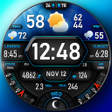
Paid
A full version program for Android, by PERSONA Watch Face.
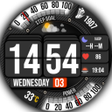
Paid
Stylish and Functional Digital Watch Face
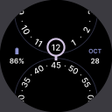
Paid
Orbit - Minimal Watch Face Review