


4.1
Free
Google Classroom
Enhancing Education with Google Classroom


Safe & trusted downloads
The best software, verified by experts

Free, simpler MS Paint alternative
Rainbow Board is a graphic and design tool that can be a great alternative for the widely-known MS Paint utility. Just like the mentioned basic design app, this open-source whiteboard software enables you to do simple doodling as much as you want. Most of the functions, features, and instruments it provides are easy-to-understand. Unfortunately, glitches from time-to-time can destroy your experience.
Graphic utilities like Rainbow Board usually aims to cater all type of users regardless of their technical experience. You can expect an intuitive GUI that will allow users to effortlessly grasp the operation of this program even those with little to no computer knowledge. To access the main screen, you will only need to click the 'Start New' button. You will then be prompted to a large white blank canvas where you can freely doodle.
The toolbar can be seen at the bottom of your screen and the first tool displayed in the row is the brush. This is actually the equipment you'll use for freehand drawing. By utilizing the slider at the top of your screen, it will allow you to adjust the size of your brushes. If in the process, you've made a mistake you can just easily hit the 'Left arrow' button to undo the previous action.
You can immediately redo it also through the 'Right arrow' button if ever you changed your mind. The second essential utility presented in your toolbar is the eraser which will enable you to delete the unwanted portion in your project. You can utilize the straight-line instrument for making geometrical shapes. However, it doesn't contain circular elements, unfortunately. All of the doodles you've worked on this app will be saved as a PNG image.
Rainbow Board's purpose is to give out an easily accessible drawing software solution that prides itself in providing the simplest graphic design features and tools. This way, most types of users will be able to make use of this program no matter how high or low their technical knowledge. It is not highly-advanced like professional-grade whiteboard tools out there moreover, it is flawed with glitches. Nevertheless, it sufficient enough to make up for your basic designing needs.
Free
Enhancing Education with Google Classroom

Free
Elevate your typing speed with its smart tools

Free
Easy typing skill mastery at your fingertips

Free
Improve your typing skills!

Free
Download Udemy for Windows: A versatile online learning platform.

Free
Easily create tests and exams
Do you spend too much time preparing lessons?

Create quizzes for the web
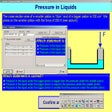
Create interactive tests, tutorials and quizzes

Create online lessons and tests - free e-learning editor, used in 148 countries.
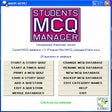
Practice multiple choice question tests
Comprehensive and professional testing solution
Create computerized quizzes with ease
Simply the easiest way to read on a computer
Spend less time preparing exams
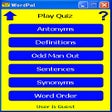
Rapidly improve your vocabulary using six types of quiz
Five fun learning quiz games plus multiple-choice test software and an editor to create your own quizzes and tests.