2.7
Trial version
ExplorerView
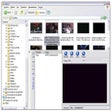
Preview audio, video, images and text from Explorer


Safe & trusted downloads
The best software, verified by experts

<h2>QuickView: fast, minimalist file previews for Windows users</h2>
Try QuickView by justnullname to peek inside files on Windows without launching full applications. The app opens keyboard-triggered previews so users can confirm contents quickly, handling common image formats, text documents and PDFs. Key aspects include spacebar activation, Explorer integration and arrow-key navigation for moving between items while a preview stays open. QuickView targets Windows users, developers and creative professionals who need a lower-overhead method for routine file verification during everyday file-management tasks.
QuickView is published openly on GitHub, which lets developers and auditors inspect the code and submit improvements. The project is described as open-source and generally well received by the community for following a "do one thing well" philosophy. That transparency suits users who prefer tools they can review, and it also makes the app a practical starting point for developers who want to extend preview support or fix platform-specific issues.
The app emphasizes high-speed previews, optimized so content appears almost immediately after selection. This design goal reduces the need to launch full applications when verifying files, which lowers task switching. The minimalist footprint is explicit in the project notes, so QuickView targets quick verification tasks rather than heavyweight processing, making it appropriate when rapid visual checks are the primary objective.
QuickView supports modern Windows desktops and lists compatibility with current Windows versions. Integration with the native file manager places preview capability where users already work, and the open-source codebase provides auditability as a safety signal. The developer’s independent background implies a focused utility rather than a broad platform; that focus reduces surface area compared with multi-feature file managers.
The app suits users who need rapid inspection, such as creatives curating images or developers scanning logs, but it intentionally omits complex file-editing or batch-management features. The project’s minimalist approach trades extended functionality for speed and predictability. Users who need integrated editing, metadata batch operations, or deep file management should pair QuickView with other tools that handle modification tasks.
QuickView is a practical option for Windows users who need fast, low-overhead file inspection; its open-source model and focused design make it reliable for visual checks. The single caveat is its deliberate minimalism, which leaves out editing and advanced management. For quick curation sessions use the app, and reserve full-featured editors for file modification workflows.