
4.4
Free
Kinemaster for Pc - Download For Windows/Mac
Desktop video editing made accessible and efficient


Safe & trusted downloads
The best software, verified by experts

How to Create Bookmarks With Quick Links
QuickLinks is an app that can save web links for you and it can also be used to create multiple bookmark/shortcut combinations, each of them for any website you visit regularly.
How do I create and manage Bookmarks with Quick Links?
In order to create a shortcut for any webpage or website you visit, you first need to install Quick Links on your Chrome browser. Once it's installed, you just need to open the app and create the shortcut. A new category, with its own subcategory will be added to the list, and will be used for saving the shortcut. After that, all you need to do is click the save button to save the link. When you visit that page, you'll be able to select one of your shortcuts to quickly open it.
After saving a link, you can edit its category or subcategory, delete it, or rename it.

Explore a fun plug-in
Desktop video editing made accessible and efficient

Efficient HTTP Header Management with Netmirror Extension

A free app for Chrome, by Zoomcorder.com.

Epson L380 printer troubleshooter

Invoice Downloader: Fast and Easy Way to Download Facebook Ads Invoices

ShareChat Pixel Helper: Debug and View ShareChat Pixel Events

SFDC Login - Chrome Add-on for Salesforce Org Login

Looper: Loop your favorite youtube music!
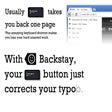
BackStay Extension - Stops Chrome From Taking You to the Previous Page

BoardGameGeek Market Filter Extension - Makes the Market Experience Much Easier
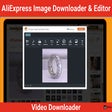
Download Images From AliExpress

Deals and Discounts Finder for Walmart - An Extension That Helps You Save Time and Money
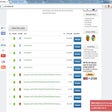
UrlChecker - A Free Media Downloader Extension

Twitter Reaction Counter: A Chrome Extension for Analyzing Likes and Retweets

Amoled Dark Mode for ChatGPT

Hide Website Announcements with This Tool