





4.4
Free
Heart Rate: heartbeat anytime
Accurate Heart Rate Monitoring on Android


Safe & trusted downloads
The best software, verified by experts
<h2>Exercise-based lock turns phone time into short workouts</h2>
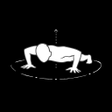
PushUp: Screen Time & Fitness, developed by AscentTeam, uses physical effort to curb idle phone use and improve daily activity habits. The app counts pushups via the front-facing camera and enforces a brief exercise requirement before granting access, combining motion detection with app controls. It also tracks progress, supports adjustable repetition targets, and records streaks. Students, heavy phone users, and short-workout enthusiasts gain measurable nudges toward movement and reduced distraction.
Yes, the app uses computer vision to identify the pushup motion in real time and count repetitions automatically. Detection is processed on the device, and the system does not store or upload workout video, which limits persistent recording of sessions. The hands-free counting means users do not need to touch the screen mid-exercise, so short sets run with minimal setup and minimal interruption to a study or work session.
The configuration lets users single out specific addictive apps for access restriction while leaving essential utilities available, so phone calls or navigation remain reachable during enforced breaks. Settings include scheduled off times that prevent locks during meetings or transit. This selective approach supports targeted habit change, letting people protect core functions while placing friction on chosen distractions.
People who already accept short, frequent activity breaks adapt most quickly, since the app allows very low starting repetition counts and gradual increases. Progress visualization shows a history of completed sessions and streaks, which helps maintain consistency for study blocks or focused work intervals. Beginners can set conservative goals to avoid discouragement and raise targets as endurance improves.
The enforced exercise model is effective for at-home or private routines but can be awkward in public or formal settings, a point several users mention when describing the "pushup tax." The approach trades ease of access for measurable movement, so anyone who needs unrestricted immediate access in varied contexts may find the method intrusive rather than convenient.
PushUp is a practical option for users who want short, activity-based interruptions to reduce habitual phone checks. The app makes brief exercise a predictable step before access, which helps build movement into study or work routines. The required physical commitment limits use in public or professional settings, so it suits users who can perform short workouts in private spaces.
Free
Accurate Heart Rate Monitoring on Android

Free
A free program for Android, by UltraPub.

Free
Transform Your Fitness Journey with AURIZE

Free
Transform Your Home Workouts with AI

Free
Metric - Barbell Tracker: Phone Camera VBT for Strength Training

Free
Transform Screen Time into Fitness with RepLock