
3.6
Free
RunScanner
Freeware malware spyware and junk analyzer


Safe & trusted downloads
The best software, verified by experts

Ensure Windows 10 adheres to privacy policies
Privatezilla is a security companion that can attend to the various privacy concerns surrounding Windows 10 nowadays such as logging users' activities. If you don't feel at ease while using the OS but, you have no choice since you need a handful of its features, this program solution is your best choice to have peace of mind.
With this, you can instantly perform a privacy check on any compatible desktop device anytime you want. On top of that, its open-source service can be freely downloaded and used without any installation required.
Once you launch Privatezilla, you will immediately be greeted by a detailed list that contains all the policies you can control and configure. You can fine-tune it depending on your operating system's privacy needs. The process will start by analyzing your desktop and reviewing the current status of each policy. After analyzing, it'll display settings that you can modify to your liking.
For instance, if you still haven't disabled telemetry, Wi-Fi Sense, timeline history, advertising ID, location tracking, Windows Hello biometrics, and even Windows tips from tracking your personal data, you can do so here. Although straightforward to use, it's still best that you're equipped with enough technical knowledge to make sure that you fully comprehend the settings you'll customize.
You can even prevent applications installed on your PC from having access to your private data including calendar, contacts, call history, documents, diagnostic information, email, microphone, messaging, or motion details. Furthermore, pictures, videos, tasks, or webcam streams can also be protected from any unauthorized entry of the programs. On the other hand, it offers a debloater tool as well which can aid you to clean up unnecessary applications and settings.
Privatezilla is an important security companion for Windows. This is a useful tool that makes sure that the privacy policies that matter for you are applied especially nowadays that Windows is facing tons of issues regarding this. It will not harm you to add an additional safety utility for your system to prevent any privacy risks.

DNS app by Cloudflare

Detect a virus on USB sticks easily

A free removal tool for tough malware

Enhance Your Online Security with Spybot – Search & Destroy

Remove viruses from your external storage devices for free
Free
Freeware malware spyware and junk analyzer
Free
Block spyware from reaching your computer

Trial version
Protect your privacy with SpyHunter software

Free
Lightweight privacy control tool for Windows 10

Free
Built-In Security That Keeps Watch

Free
Surf the internet with freedom
Prevent keyloggers from stealing your data
Stop Windows 10 tracking once and for all! The app turns off telemetry in a snap and makes sure your privacy remains private

Standalone Bayesian spam filter proxy

Fed-up of unwanted e-mail? Get this advanced inbox filter
Award winning anti spam software and fraud protection for Outlook

Say goodbye to unwanted mail
Immunize Internet Explorer from unwanted plug-ins

Detect and eliminate more than 400 types of spyware

Be in control of your e-mails and privacy
Remove evidence and clean your PC
Block phishing websites and catch dangerous phishing and scam e-mails
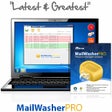
Get rid of spam, viruses and unwanted e-mail