

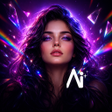
Prismly - AI Art Generator for Android
Prismly AI Art Generator for quick text and photo-based artwork
- Free
- 4.2
- 1
- V 1.0.1
Prismly AI Art Generator for quick text and photo-based artwork
Prismly - AI Art Generator, by Classy Thenorn, converts text prompts and photos into finished digital images, aimed at quick creative output. The app uses dual-mode generation to produce styles from 3D cartoons to oil paintings and studio portraits. It bundles 28 curated art styles, basic in-app editing, and a discovery feed for browsing trends. Casual creators and social media users gain a fast path from idea or selfie to shareable artwork on Android devices.
What is Prismly used for?
Prismly targets creative tasks where a user needs a finished visual without lengthy setup: generate imagery from a written prompt or transform an existing photo into an art piece. The app supports both text-to-image and photo-to-art workflows, making it possible to start from a description or a selfie. This design fits short-form production, social posts, and quick concept visuals rather than detailed studio compositing.
What image formats and styles does it support?
The app provides an explicit selection of 28 art styles across eight categories, which lets users shift between anime, 3D cartoon, oil painting, and studio portrait looks. For practical use, that means a single input image or prompt can become a range of outputs without switching tools. The side-by-side comparison feature helps judge fidelity between the original photo and AI result, and built-in cropping and filters allow immediate refinement before saving.
Is Prismly better for beginners or advanced users?
Prismly favors quick access over granular control, so casual creators and social media enthusiasts gain the most immediate benefit from preset styles and the discovery feed. What's more, the in-app editing tools let users refine images without exporting to another editor. However, users seeking layer-based control or advanced masking will find the app focused on finished outputs rather than detailed studio workflows.
In conclusion, Prismly is a practical creative shortcut with defined trade-offs
In conclusion, Prismly is a practical option for Android creators who need rapid generation of stylistic artwork from text or photos, offering a clear path to shareable images. The trade-off is limited depth for professional compositing and no dedicated multitrack editing, so the app suits creators who prioritise speed and variety over pixel-level control.
Pros
- Dual-mode generation from text or photo inputs
- Library of 28 distinct art styles across eight categories
- Side-by-side comparison of originals and AI results
- Built-in cropping and filters for immediate refinement
Cons
- Not built for layer-based or precision compositing
- Editing tools are basic compared with standalone editors
- Geared toward quick outputs rather than detailed studio workflows
Prismly - AI Art Generator for Android
- Free
- 4.2
- 1
- V 1.0.1
Top downloads

Blackmagic Camera
A powerful free tool for video professionals
Hypic - Photo Editor AI Art
AI-powered photo editing software
LMC8.4
Advanced camera controls for mobile photography
Efiko: Aesthetic Filters Eff
Trendy presets for editing photos and videos
Presets for Lightroom - Koloro
Lightroom-inspired media editor