4.9
Free
Cobra Print Viewer
Cobra Print Viewer Overview


Safe & trusted downloads
The best software, verified by experts
Control at page level how documents print on your printer
Print Tonic Professional is for controlling at page level how documents print on your printer and for batch printing documents automatically to your printer, document formats supported are: pdf, word doc, docx, docm, xls, xlsx, xlsm, rtf, jpeg, png, gif, tiff, emf, wmf, bmp, txt & html.
Print Tonic Professional software has a unique main feature that allows you to control how documents print at page level & importantly keep it as one print job on the printer, for example if you wanted a document to print first page as simplex and then the rest of the pages on duplex this is now possible and all under one print job & on any printer that supports these features. Another example is if you wanted to print all pages starting with page text match INVOICE on Tray 1 duplex and all pages with page text match PAYMENT on tray 2 simplex then this is all now possible without having to do anything with the source pdf beforehand, you can mix and match multiple printer settings at page level. features include page number matching, text matching & bookmark text matching for controlling which pages are set dynamically, OCR's pdf's for text matching non searchable pdf's. Printer settings that can be changed at page level: Paper Source, Paper Size, Media Type, Media Color, Duplex Mode, Staple Location, Folding options, Hole Punching, Finishing & Trimming options.
Batch list printing, appending multiple document type files into one before printing, preview mode so you can see what's been set on each page before printing, page range printing, separator/banner page inserting, custom PPD postscript code insertion, center on page, shrink to fit page, scale to printer paper size, crop to fit page, expand to fit page, ignore printer margins are all features that are included.
NOTE: A postscript compatible printer is required and for non pdf source files some associated software is required to convert e.g. Microsoft Word to convert word .doc, .docx documents to pdf.
Evaluation Restrictions are:- print max 50 pages, trial text on print output.
NOTE: Adobe Acrobat is NOT required.
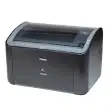
Free driver for the Canon LB2900B printer line
This app offers seamless HP printer management

Essential drivers for HP LaserJet 1020 printers
Comprehensive Printing and Scanning Utility

Simple document tasks made easier