




3
Free
YeahReader
A free RSS reader


Safe & trusted downloads
The best software, verified by experts

<h2>PrimeVideo: Open-source desktop wrapper bringing Prime to Windows</h2>
PrimeVideo by AariyJP is an open-source Windows desktop wrapper that gives Amazon Prime Video a dedicated application window. It runs the service in a standalone client, removing browser chrome for a focused playback session while retaining session persistence and view options like Picture-in-Picture. The app targets Windows users who stream regularly and prefer separating entertainment from work browser tabs, and those who want an open-source alternative to the official Microsoft Store application. It runs on 64-bit systems and requires a stable internet connection for playback.
The app is an Electron-based wrapper that loads the Prime Video web player inside a standalone window, so users do not have to keep a browser tab open. Playback capabilities depend on the embedded web engine and the service's DRM controls, which determine resolution and content protection. Because the tool hosts the web player, it mirrors the browser's playback behavior rather than adding native decoding or offline download features.
Design notes indicate the wrapper uses fewer resources than a full-featured browser like Chrome or Edge, which can reduce memory and CPU overhead while watching video. The Electron runtime still runs a web engine, so resource use is not eliminated, but builds generally present a lighter footprint than running multiple browser tabs. Portable builds also let users run the client without a complex installation on compatible machines.
Safety centers on release provenance and update habits. The project is open-source on GitHub, enabling code inspection and community review rather than opaque binaries. It is not an official Amazon application, so trusting a release requires checking the developer's repository and applying updates from that source. The update path is repository-based rather than an integrated store channel, which changes how users verify and install new versions.
Basic use resembles running any desktop player, but familiarity with manual updates and GitHub releases helps with maintenance. The client targets recent desktop operating systems on 64-bit hardware and requires a stable internet connection for streaming; it lacks the offline download capability found in dedicated store or mobile apps. Community-driven development favors technically minded users who are comfortable managing occasional manual installs and feature requests.
PrimeVideo is a practical option for Windows users who want a compact desktop client and who accept using a third-party, open-source wrapper. The trade-off is reliance on the web engine and repository-based updates rather than an official store channel, which suits those comfortable verifying GitHub releases and managing occasional manual installations. It is a sound choice for users prioritizing a separate media workspace over integrated platform features. Recommended.
Free
A free RSS reader
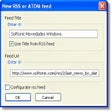
Free
Attractive, functional and powerful RRS reader
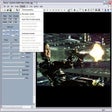
Free
Play and manage multiple streams of video, audio or pictures

Free
When all you want to do is ‘watch’

Trial version
Media Player & Viewer for Dash Cam and Black Box. Analyze multi-channel raw footage.