2.9
Free
Bandwidth Controller Personal Edition
Control your network traffic


Safe & trusted downloads
The best software, verified by experts

<h2>PortFinder: Windows GUI to map processes and free occupied ports</h2>
Try PortFinder, created by Will Lehnertz, to identify which local network ports are in use and which processes hold them. The tool lists active TCP and UDP connections, maps each port to a process ID and executable, and shows local and remote IPs and ports so users can diagnose 'port already in use' errors. It also offers search and filter, a refresh button for live updates, process termination from the UI, and a portable, no-install executable. System administrators and developers who need a GUI alternative to netstat benefit when troubleshooting local port conflicts on desktop machines.
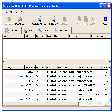
The app provides a real-time listing of active TCP and UDP ports, maps entries to process IDs and executable names, and displays local and remote IP addresses and port numbers. It offers a GUI alternative to command-line netstat and groups port details, process mapping, and management controls in one view for faster troubleshooting. Key display fields include:
The app runs as a compact, no-install Windows executable and updates its connection list via a refresh button on demand. Because the design targets a single troubleshooting task instead of continuous monitoring, it avoids the bloat of larger network suites and limits persistent resource use. Resource consumption occurs mainly during active refreshes and when users request process information or terminate a process from the UI.
The app requires administrative privileges to view process information for system services and to terminate active processes, so full functionality depends on elevated permissions. That capability lets administrators free occupied ports quickly but also raises the risk of stopping critical services if used without caution. The developer publishes the open-source code on GitHub, which permits review and increases transparency for security-minded teams. The app monitors only the local machine.
The streamlined graphical interface surfaces PID values, executable names, and IP:port pairs and includes search and filter controls plus a refresh button. These elements suit technicians and developers who recognise process IDs and can assess service impact before termination. Casual users may need guidance interpreting results, since terminating a process from the UI directly affects running services; portability makes it convenient for administrators moving between systems.
The app is a practical choice for administrators and developers needing a compact, transparent utility to diagnose local port conflicts on desktop machines. It emphasizes on-demand inspection and direct process control, which suits reactive troubleshooting. The single trade-off is that full functionality depends on administrative privileges and it does not scan remote hosts, so teams that require scheduled or network-wide monitoring should use a different tool.