





4.2
Free
Picbow
Picbow is a photo editor.


Safe & trusted downloads
The best software, verified by experts

Pixopedia XE: Comprehensive Image Editor
Pixopedia XE is a versatile image editing software designed for Windows users. It offers a wide array of features such as retouching, color modification, effects application, and freehand drawing with various paintbrush options. Despite its slightly rough interface, Pixopedia XE efficiently accomplishes editing tasks and provides an intuitive method to utilize its full range of functionalities.
Each paintbrush in Pixopedia XE comes with specific configurations, and users can easily combine them by utilizing keyboard shortcuts or clicking on the corresponding icons. Furthermore, customization options are available for each paintbrush, enhancing the editing experience. With an extensive collection of filters, embellishments, colors, and figures, Pixopedia XE equips users with all the necessary tools to edit images to perfection.

Remove noise from your images in Photoshop

Effortless ID Photo Management with IDPhotoStudio
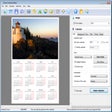
Create Custom Calendars with Ease

Essential depth‑of‑field calculator for photographers
Transform Your Photos with BenVista PhotoArtist

Sophie: A Free Photography Tool for Windows

Effortlessly Combine Photos with Merge

Coolnew PDF - Powerful Document Management Tool

Create Stunning Photo Mosaics Easily

Explore Photography with Psst!

Effortless Album Creation Tool for Windows: Zalbum

Explore Creative Possibilities with Pattern Wizard