
1.7
Free
PicMagic AI Enhance
Transform Your Photos with PicMagic AI Enhancer


Safe & trusted downloads
The best software, verified by experts

Pixense: AI Photo Enhancer brings instant mobile image refinement
Pixense: AI Photo Enhancer, from Logical bros, is an Android photography app built to simplify mobile editing for casual creators and social posters. It automatically analyzes and improves captures using Google's Gemini AI for detail, lighting, and sharpness corrections directly after capture. The app highlights scene-specific optimization, a built-in camera, and non-destructive saving so your originals stay intact. You get quick, polished images without learning complex editors, aimed at users who want fast, high-quality results for sharing.
You use Pixense to convert ordinary phone photos into enhanced images with minimal effort, following its "Capture, Enhance, Done" approach. The app applies AI-driven corrections immediately after taking a picture through its integrated camera, so you can produce improved portraits, low-light shots, and architectural photos without manual retouching. This workflow suits social media-ready output and basic restoration tasks where speed matters more than granular manual control.
Pixense adapts enhancement strategies to specific subjects, recognizing portraits, food, landscapes, documents, and low-light scenes, which guides the processing choices. The app preserves originals by saving enhanced versions as new files, ensuring non-destructive edits. Its small APK footprint, listed around 5–12 MB, suggests on-device storage impact is low while the cloud-based Gemini processing handles the heavy lifting for quality improvements.
The integrated camera and an automatic enhancement queue let you enable detection of new captures for background processing, so you can run through batches without opening an editor. You encounter few manual controls by design, which reduces onboarding time for people who prefer one-tap improvements. Because enhancement requires an internet connection, you rely on cloud processing rather than fully offline editing, a trade-off between convenience and always-on connectivity.
Pixense fits you if you want quick, AI-driven improvements with preserved originals and minimal setup; its small APK and integrated camera prioritize fastest path from capture to shareable image. Expect reliance on cloud processing and limited manual controls, so choose it when you prefer automated fixes over fine-grained editing. For hesitant users who want better-looking photos without a learning curve, Pixense is an accessible gateway to AI enhancement.

A powerful free tool for video professionals

AI-powered photo editing software

Advanced camera controls for mobile photography

Trendy presets for editing photos and videos

Lightroom-inspired media editor
Free
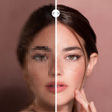
Transform Your Photos with PicMagic AI Enhancer
Free
PhotoApp: AI Photo Enhancer - Your One-Stop Solution for All Your Photo Editing Needs

Free
AI Enhancer AI Photo Enhancer: Enhance Your Photos with AI Technology

Free
ZoomGrid AI Photo Enhancer: Enhance and Restore Your Photos with AI

Free
AI Photo Editor - HD Enhance: AI-driven photo repair and creative styling

Free
Transform Your Photos with Paragos AI