Pixa Launcher: Home Screen for Android
<h2>Privacy-focused Android launcher with layout and gesture controls</h2>
- Free
- 4.2
- 7
- V 12.0
<h2>Privacy-focused Android launcher with layout and gesture controls</h2>
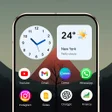
Pixa Launcher: Home Screen from Zigzag App Developers replaces Android's default home screen with a clean, privacy-focused interface. It provides a smart app drawer, customizable layouts, gesture shortcuts, and an integrated App Lock plus hide-app functions for sensitive apps. The launcher also supports icon size and grid adjustments, HD wallpapers, widgets, dark mode, and custom icon packs. Pixa targets Android users who want a minimal, organized home screen with built-in privacy and responsive animations.
Pixa remakes the home screen to prioritize organization and privacy
The launcher modifies the core home-screen element by combining an organizational drawer and concealment tools. It delivers a smart app drawer for quick access and includes options that change icon size, grid layout, and label visibility. The product also supports HD wallpapers and home screen widgets, so users can balance functional widgets with a pared-down app view.
Users get granular control over layout and navigation
Layout adjustments are explicit: the app allows icon-size changes, grid reconfiguration, and label toggling to alter density and visual prioritization. Gesture support provides swipe shortcuts for navigation and actions, and the launcher accepts custom icon packs to change icons en masse. These elements let users tune visual density and shortcut behavior without external theming tools.
On-device privacy features reduce dependence on third-party security apps
Pixa includes an integrated privacy suite that protects sensitive apps inside the launcher rather than requiring separate software. The App Lock secures applications with a password or pattern, and the Hide Apps function removes selected apps from both the home screen and the drawer. This design keeps concealment and access control confined to the launcher experience.
Designed for responsiveness across varied Android hardware
The launcher is described as performance-focused, aiming for smooth animations and a snappy feel on a broad range of devices. Support for high-definition wallpapers and widgets adds visual richness while the core UI aims to remain fast. Because Android device capabilities differ, visual features and animation smoothness depend on the host device's hardware and configuration.
Pixa is a practical choice for Android users who prioritize tidy, private home screens
Given Zigzag's emphasis on Android utilities and the launcher's stated aim for a clean, responsive interface, Pixa fits users who prefer an organized, privacy-centered launcher. Consider that system requirements vary by device; test behavior on your hardware before committing to a full layout overhaul. Pixa suits anyone who wants a focused home screen with built-in concealment and simple customization controls.
Pros
- Built-in App Lock and Hide Apps for on-device privacy
- Per-home-screen controls: icon size, grid layout, and labels
- Smart app drawer for faster access to installed apps
- Gesture shortcuts, dark mode, HD wallpapers, and widget support
Cons
- Android-only app, not available on other platforms
- System requirements vary by device, behavior may differ
- App Lock uses password or pattern; biometric unlock not mentioned
Pixa Launcher: Home Screen for Android
- Free
- 4.2
- 7
- V 12.0