



4.5
Free
Screen Block Grabber
Capture any part of your screen for posterity


Safe & trusted downloads
The best software, verified by experts

A free basic screenshot tool
picd is a free screen-capture tool that enables you to instantly take and share screenshots. Developed by rtland.team, this handy little utility lets you snap a screenshot with just a tap of the PrintScreen button and gives you the option to share it via a unique generated link for social media posts. However, its cloud service doesn’t offer a user account so deleting images is a hassle to do. Plus, you can’t instantly save.
picd is similar to other screenshot programs like LightShot and Greenshot. You simply use the PrintScreen or PrtSc button to launch its selection tool and start choosing an area to capture. You do this by clicking and dragging your cursor—although if you’d like to adjust the selection, you can just hover over the edges and corners of the highlighted box to drag them again. Alternatively, you can right-click to take a full-screen shot.
Once an area has been selected, two toolbars will pop up at the edges to let you edit the image first before saving it. One contains basic drawing tools such as freehand drawing and shape tools—however, unlike other similar software, you can’t change the color of the drawings. The other toolbar contains your save options. You can either save locally to your PC, copy the image to your Clipboard, or upload it to picd.in.
picd.in is the cloud web service that hosts your screenshots and provides you with a URL to access the image. You can easily share this link online for others to see your screenshot. However, this service doesn’t give you an account so if you want to delete something, you’ll need to contact the developers via email at remove@picd.in. Another downside is that you can only save in PNG format.
All in all, picd is a great alternative if you want a basic screen-capture tool that has cloud service capabilities. However, compared to its competitors, it lacks a lot of useful functions. For one, you can’t use other image formats when saving. You also can’t instantly save a full-screen image. The biggest frustration is not being able to personally manage your screenshots and deleting them if you accidentally uploaded a sensitive one.
Free
Capture any part of your screen for posterity

Free
Efficient Screen Capture Tool for Windows

Free
Free screen capture tool with simple editing features

Free
Efficient Screen Capture Tool for Windows

Free
Impressive screen capture tool

Free
Simplifying screenshots with LightShot
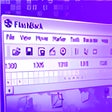
All-in-one screen capture suite with editing and publishing features

Efficient Screen Capture Tool for Windows
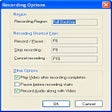
Record your desktop actions in AVI format

Makes annotating bug screenshots easier
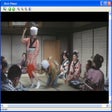
Capture scenes from your favorite movies and save them as single picture files
Simple and easy screen captures

Capture and edit images quickly

Efficient Screen Capture Tool for Windows

A full version program for Windows, by acethinker.

Mirror your screen with Screen Share and save videos

Efficient Screen Capture Tool for Windows