

4.3
Free
Grand Piano Keys 5K - Learn To Play
Learn to play the piano for free with Grand Piano Keys 5K


Safe & trusted downloads
The best software, verified by experts
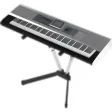
Turn your keyboard into an instrument with Piano Keys
Piano Keys is a music app that lets you create music without a synthesizer. This app maps each of the 88 keys on a standard piano keyboard to a key on your computer's keyboard. You can compose, practice, or perform using a synthesized piano or one of over 100 other instruments.
The major feature of Piano Keys is the mappable keyboard. Using a simple interface, you can map each note represented by a piano key to one of the keys on your computer's keyboard, letting you choose the configuration that is most comfortable for you. You can also play note by using your mouse to click on a piano-keyboard interface. You can adjust the app's volume independently of the computer's main volume control.
If you're looking for an app that lets you use your computer as an instrument, but don't need a full-featured music studio, Piano Keys is an easy-to-use tool that lets you experiment with different sounds.
Free
Learn to play the piano for free with Grand Piano Keys 5K

Free
Play MIDI notes on your Mac
Paid
The simple MIDI workaround app
Paid
An App That Helps You Understand and Learn Music

Trial version
Record QuickTime videos of your desktop

Free
Free Audio Recording Software for Personal Use
LilyPond: Text-based engraving for publication‑quality musical scores

Mood enhancing OS X software

iPod bootable OS X toolkit
Unlock the full potential of your iPod

A Free Science & Education program for Mac

Effortless Music Uploading with 8tracks Uploader

Enjoy your favorite DVD on video iPod
Convert videos to your iPod

Quick rating for iTunes

Cool App for Radio Lovers