




1.8
Trial version
Flexify
Achieve stunning photo effects with this Photoshop plug-in


Safe & trusted downloads
The best software, verified by experts

This tool helps you get maximum available screen space for design while using Adobe Photoshop. It hides all the floating palettes and toolbars of Photoshop until you need to use them. When you don't use the floating windows, it automatically moves them to the edge of the screen to give you the maximum available screen space for design; when you want to use these floating palettes and toolbars, just move the mouse pointer to the edge of the monitor where they are hidden and they will appear into your vision for usage.
Photoshop Interface Assistant improves your work efficiency and really gives you more pleasure in working on designs.
Trial version
Achieve stunning photo effects with this Photoshop plug-in
Trial version
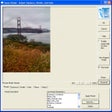
Turn your photos into stunning works of art with this plugin for Photoshop
Trial version
Correct distorted images

Trial version
PhotoTune: Enhance Your Photography Effortlessly
Trial version
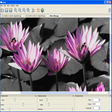
Explore Colors with Tintii Photography Software

Trial version
Emulate Japanese Comics with Photoshop Manga Effect Plugin

General purpose CAD program for 2D design

Camera RAW workflow application
Take data directly from a file or database straight into Adobe InDesign

Comprehensive Overview of Adobe Photoshop CS2
Create simple logos quickly and easily

Create complex 3D graphics with ease
Fast viewer and advanced conversion tool
The Best Books About Color For Windows

Create cool web buttons and menus with ease
Visually create and edit various levels in the WPF
Explore Color Palettes with Kuler Desktop