Photorealism: Grid Drawing for Android
Photorealism: Grid Drawing, a workflow tool for accurate value study
- Free
- 4.2
- 5
- V 1.95
Photorealism: Grid Drawing, a workflow tool for accurate value study
Photorealism: Grid Drawing from drawings.by.dylan is an Android art utility that helps artists transfer and scale reference photos with methodical guidance, built from a professional photorealist workflow. It separates images into staged tonal layers and offers grid controls, zoom, and side-by-side comparison to guide value-focused practice. The app targets learners and experienced portrait artists who want a disciplined, stepwise approach to achieving realistic tonal accuracy.
Breaks references into focused, stage-oriented drawing tasks
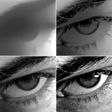
The app deconstructs photos into four named tonal stages, described as Shading, Darks, Lights, and Brights, letting an artist concentrate on one value class at a time. That approach turns a complex portrait into incremental tasks, encouraging practice of texture and value relationships rather than simultaneous color matching. For photorealist work, this stage-based method reduces cognitive load during detailed rendering sessions.
Fits into an Android studio setup with high-detail controls
Published for Android via the Play Store, the tool requires a modern OS for its high-resolution image processing and ultra-zoom. It provides explicit grid controls, including adjustable cell size and line thickness, plus a zoom tuned for fine textures. These technical options make the app usable on phones and tablets that can handle dense images and precise navigation gestures.
Supports stepwise progress tracking and visual correction workflows
The app includes a progress tracker to mark completed grid squares and an overlay or side-by-side comparison mode to check work against the photo, with an error-marking function for targeted fixes. Users in the art community note the clarity of the interface and the practical value of the layer-separation workflow, which helps keep long projects organised across multiple sessions.
Designed for studio practice, not freehand experimentation
Unlike basic grid utilities, this tool codifies a professional photorealist process into the mobile workflow, emphasising staged value study rather than broad compositional sketching. That focus makes it a practical companion during disciplined studio sessions and a reference aid for commissions, while artists who prefer rapid, freehand color exploration may find the method more prescriptive than liberating.
To sum up, a methodical companion for artists practicing staged realism
Photorealism suits practitioners who adopt a step-by-step, value-first routine and who welcome a mobile translation of a professional workflow. The app rewards consistent, focused sessions and structured corrections but is less aligned with freeform, color-led experimentation. For anyone training toward detailed portrait work, it offers a studio-minded mobile companion that reinforces disciplined drawing habits.
Pros
- Tonal layer separation into four named drawing stages
- Adjustable grid size and line thickness for scaling accuracy
- Progress tracker and error-marking for multi-session projects
- High-precision zoom for fine texture work
Cons
- Available only on Android at present
- Requires a modern Android build for best high-resolution processing
- Workflow focus may feel prescriptive for freehand color painters
Photorealism: Grid Drawing for Android
- Free
- 4.2
- 5
- V 1.95