




3.6
Free
Photo Editor
Simple photo editing for computers


Safe & trusted downloads
The best software, verified by experts

Free Photo Editing Software for Personal Computers
If you need to quickly enhance or edit an image, there is no need to download memory-taxing programs. Free Photo Editor for Windows 10 provides you will all of the major tools required to produce stunning results.
Free Photo Editor for Windows 10 will provide you with powerful and user-friendly tools in order to adjust the settings of an image. Some of these include distortion, hue, lighting, colors and even the size of the photo itself. While you will not be able to perform more complicated tasks such as adding layers, the fact of the matter is that this software is perfectly suited for minor adjustments. It is also a great alternative to larger applications such as Adobe Photoshop.
Free Photo Editor for Windows 10 aims to take the guesswork out of most minor projects. Similar in appearance to the standard Windows photo viewer, users should have no problem becoming familiar with its basic functions. Another massive advantage is that the total size of this file is only 3.76 megabytes. It will not slow down most operating systems.
Free
Simple photo editing for computers

Free
Freemium photo editor and social network

Free
Unveiling Photo! Editor's secret toolbox

Paid
In-Depth Photo Editor for Personal Computers
Trial version
Edit any picture and digital photo with th easy-to-use, powerful and professional features of this software

Free
A free program for windows

Comprehensive Graphics Tool for Designers

How To Create Your Own Slideshow Maker With Amazing Slider
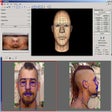
Create heads based on photos or drawings in less than 10 minutes

An efficient vector-based design tool for creating manuals, plans, flow charts and posters

Easily create animated text effects

Wire Worm: A Free Graphic Design Tool

Distort your digital images with this Photoshop plug-in pack

batch PDF watermarking and stamp tool
An excellent tool for dealing with images, drawings, photographs.
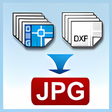
Batch convert DWG, DXF and DWF to TIF/TIFF, JPG/JPEG, BMP, GIF, PNG, TGA, PCX, WMF and EMF without the need of AutoCAD.
WebPlus: Comprehensive Graphic Design Tool