




4.7
Free
ACDSee Gemstone Photo Editor 15
ACDSee Gemstone Photo Editor 15: A Comprehensive Editing Tool


Safe & trusted downloads
The best software, verified by experts

A focused portrait editing tool
PhotoDiva positions itself as a portrait-focused photography and graphic design program that caters to users who want polished results without a steep learning curve. From first launch, it feels intentionally streamlined, prioritizing essential retouching tools over overwhelming menus, which makes it approachable for hobbyists and casual creatives working with people-focused images.
PhotoDiva works best as a multimedia companion for refining portraits rather than an all-purpose editor. The program emphasizes efficiency and clarity, allowing users to improve facial details, lighting, and overall presentation with minimal setup. This practical balance between control and automation defines the experience it delivers.
One of the strongest aspects discussed in this review is usability. PhotoDiva relies on a clean workspace with logically grouped tools, helping users handle photo editing and photography tasks without confusion. Automatic face detection speeds up common adjustments, making it approachable for users without professional retouching experience. However, editors seeking granular manual control may find the available customization options somewhat limited during everyday portrait-focused workflows.
It includes a focused set of retouching, lighting, and color correction tools designed specifically for portraits. The software handles skin smoothing, facial feature refinement, and background tweaks competently for casual and semi-polished results. While these tools are effective, the program does not aim to replace full-scale graphic design suites, a limitation that becomes noticeable during layered edits or complex creative compositions in portrait-centered editing scenarios.
In terms of performance, it runs smoothly during standard edits and produces consistent results suitable for sharing or printing. The program maintains image clarity while applying enhancements, reinforcing its value as a dependable photography tool. That said, batch processing options and deeper compositing workflows are more limited when compared with broader photo editing solutions. This may affect high-volume projects requiring rapid, repeatable adjustments across multiple images.
PhotoDiva succeeds as a portrait-oriented editing program that prioritizes simplicity, speed, and accessible results for everyday users. It is best recommended for those enhancing personal or semi-professional portraits without committing to overly complex software. While it lacks advanced editing depth and extensive creative controls, its clear workflow, reliable performance, and targeted retouching tools make it a solid, practical, and reasonable choice for portrait-focused editing needs.
Free
ACDSee Gemstone Photo Editor 15: A Comprehensive Editing Tool

Free
MHC2Gen: ICC Profile Generation Tool

Trial version
Retouch, mix and deform images with complete freedom
Free
AI-driven photo editing focused on fast, polished image results

Wink: AI portrait retouching and 4K restoration for creators
Analyze your usage of the focal length of your lenses

Free Watermarking Tool for Windows Users
Free image viewer and converter

Create vibrant logos with Logo Design Studio Pro

Porta: A Free Photography Tool for Windows
A beauty treatment without leaving home

Free, intuitive photo manager for home use
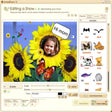
Create funny collages with your digital photos

Photo retouch portrait software
Optimize the appearance of the skin in digital photos