




3.6
Trial version
Pencil Sketch
New Dimensions in Photo Editing with Pencil Sketch


Safe & trusted downloads
The best software, verified by experts
Effortless photo to sketch conversion
Photo To Sketch delivers a straightforward way to turn ordinary pictures into artistic pencil and pen sketches with minimal fuss. In use, it provides a clean interface and clear controls that let users quickly import an image and pick a sketch style, making it a useful option for casual photo‑editing tasks.
Photo To Sketch feels friendly for beginners without advanced photographic skills, but still gives enough control to experiment with effects like pencil, pastel, or pen drawings, depending on the image you choose. Whether you want simple sketches or a creative drawing style, it keeps things easy and accessible. This app is free.
Photo To Sketch shines in its simplicity, offering a minimal learning curve that even beginners in photo editing can handle easily. The interface presents essential controls for converting images into sketches and applying effects without overwhelming menus or complex layers. This intuitive layout lets users add artistic touches to photos with ease, though it doesn’t include the advanced customization and precision tools of more professional editing programs.
The program handles image conversions efficiently for average file sizes, producing sketch results in just a few seconds with selectable effects such as pencil, pastel, or pen styles, along with optional backgrounds. However, it supports only standard formats like JPG, JPEG, and BMP and does not offer a real-time preview before conversion. Larger or high-resolution files may take longer, requiring extra patience from users.
Compared to more feature-rich photo editors, it is noticeably simpler and lacks advanced customization options such as layers, undo history, or a fully integrated editing suite. It works best for quick, straightforward artistic conversions, allowing users to transform photos into sketches with minimal effort. However, if you require comprehensive photo editing alongside sketch effects, more robust graphics programs or online tools with broader capabilities may be a better fit.
Photo To Sketch packages basic photo-to-art conversion into a user-friendly tool that makes creating quick artistic transformations remarkably simple. While its straightforward approach means it lacks professional-level features, it reliably produces sketch effects that meet the expectations of casual users. For those seeking fuss-free, visually appealing drawing results from photos without navigating complex editing software, this program remains a practical and accessible option worth exploring.
Trial version
New Dimensions in Photo Editing with Pencil Sketch
Free
Turn your digital photos into pencil sketches in seconds
Free
Release the artist in you
Free
A variety of sketch and art filters
Demo
SoftOrbits is an image designer tool featuring a kit of picture drawing tools

Trial version
Picture to Drawing PRO is designed for turning an image into a professional color or grayscale sketch in one click.

The king of slideshow software

Image viewer and editor
Simple and practical viewer for photos, video and audio
Create photo presentations quickly and easily

View large images in small windows

Powerful freeware image viewer
Add any kind of watermark to your image and video files
Manage, batch-process, and make digital albums of your photos

Free Photography Tool for Windows Users

Free software to choose images from a variety of categories

Retouch, mix and deform images with complete freedom
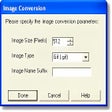
Bulk rename, resize, rotate or convert your photo files