

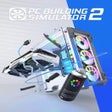
PC Building Simulator 2 for Xbox Series X|S
<h2>Hands-on console simulation for building and repairing PCs</h2>
- Paid
- 4.2
- V 0
<h2>Hands-on console simulation for building and repairing PCs</h2>
PC Building Simulator 2, developed by Spiral House, recreates running a professional PC repair and custom-build shop on console. Players assemble, diagnose, and tune systems using licensed parts and realistic tools such as BIOS tweaking, overclocking, and thermal monitoring. A 30+ hour career mode and a free-build sandbox with 1,200+ authentic components support both structured progression and open-ended experimentation. The game targets hardware enthusiasts and learners seeking practical, console-ready practice in assembly and diagnostics.
What kind of simulation is it?
This shop-focused simulator combines hands-on assembly, diagnostic work, and business progression. The career track places you in a repair shop that expands from modest beginnings to larger operations, while the sandbox removes budget limits for creative builds. The title uses licensed hardware from over 40 manufacturers and in-game benchmarks, so players experience a task loop built around job intake, troubleshooting with diagnostic tools, and validation through performance tests.
Is it hard to get started?
The game gives technical systems that demand attention because it includes BIOS tweaking, overclocking, and thermal monitoring, elements that require deliberate learning. The console edition adapts complex input by offering a controller-friendly interface, a point reviewers singled out as successful in translating mouse-and-keyboard actions. Beginners can use the free-build area to practice without time pressure before tackling the longer career sequence.
What does the game look like?
Graphical fidelity improves on the original, with clearer component models and shop visuals that make part recognition easier. Workshop customization is visible and tactile, with options such as sequenced RGB lighting, custom spray paint, stickers, cable routing, and visual water-cooling components. These cosmetic systems help communicate build identity and make incremental upgrades feel tangible when inspecting a completed rig.
What keeps you coming back after the first session?
Replay value rests on multiple pillars: the 30+ hour career offers steady progression, the free-build sandbox exposes over 1,200 licensed parts for experimentation, and integrated benchmarks like 3DMark and Cinebench provide measurable goals. Additional incentives include unlocking workshop decorations and advanced custom water cooling parts, which encourage iterative refinement of performance-focused or showpiece builds across multiple play sessions.
Practical for methodical builders, less suited to quick arcade play
The game is a practical choice for players who enjoy methodical, task-driven projects and learning through repetition, and it suits those seeking transferable, real-world hardware skills. Players who prefer instant-action or casual drop-in sessions should expect a deliberate pace and technical complexity. In summary, the game rewards patience and curiosity, and it favors users aiming to deepen hardware knowledge rather than short play bursts.
Pros
- Library of 1,200+ licensed components from 40+ manufacturers
- Career mode provides more than 30 hours of structured progression
- In-game BIOS tweaking, overclocking, and thermal monitoring tools
- Console release includes all post-launch updates and improvements
Cons
- Technical systems create a steeper learning curve for casual players
- Deliberate, task-focused pacing can frustrate quick-session gamers
- Interpreting benchmarks and diagnostics requires time and patience
Also available in other platforms
PC Building Simulator 2 for Xbox Series X|S
- Paid
- 4.2
- V 0
Top downloads

eFootball™ 2024
Kick off your dream team journey

Euro Truck Simulator 2
Experience the Open Road in Euro Truck Simulator 2

Minecraft: Avatar Legends
Explore the Avatar World in Minecraft

eFootball™
eFootball on Xbox: tactical football with live seasonal updates

Junkyard Simulator
Junkyard Simulator: Build a Scrap Empire with Hands-On Mechanics