3.8
Free
Drawing for Children
A complete paint program not just for children


Safe & trusted downloads
The best software, verified by experts

A lightweight coloring app made for young children
Paint 4 Kids for Windows 8 is a free, touch-friendly drawing app made for preschool and early-grade children. It lets kids color basic shapes or draw freely on a clean canvas using smooth vector graphics for crisp, responsive visuals. With no ads or in-app purchases, it offers a distraction-free creative space, though its limited toolset and lack of export options may frustrate older users.
Built with HTML5 and SVG, the app runs well even on older systems, offering instant fill tools and smooth interactions. Its minimalist layout and large, easy-to-spot buttons make it accessible for young kids without instructions. However, the absence of save, print, or advanced drawing tools makes it less suitable for those looking for more features.
At its core, Paint 4 Kids features a touch-friendly canvas that supports both tap-to-fill coloring and free drawing. Children can choose from simple shapes and line templates, coloring them with smooth, responsive strokes. The SVG-based architecture ensures that everything scales cleanly and reacts quickly—important for keeping younger users engaged without frustration. There are no advanced brushes, stickers, or layers, which helps simplify the experience but also limits creative range.
The app’s interface is deliberately minimal. Large, easy-to-identify icons let kids start drawing without needing to navigate menus or deal with complicated settings. This ease of use makes it well-suited for younger children still learning how to use digital devices. On the downside, Paint 4 Kids doesn’t offer options to save, print, or export artwork, so creations remain within the app unless manually captured via screenshots.
Designed for entry-level creativity, Paint 4 Kids focuses on speed and simplicity over features. It serves best as a tool for casual coloring or exploring shapes and colors, rather than a full drawing suite. For families looking for a no-cost, low-maintenance digital canvas that runs well even on older Windows 8 systems, it fits the bill—though kids wanting more advanced options may outgrow it quickly.
Paint 4 Kids is an ad-free, easy-to-use coloring app that provides young children with a smooth and approachable space to explore creativity. While it lacks customization, export tools, or diverse art features, its simplicity, clean visuals, and responsive design make it a suitable starting point for early digital drawing experiences.
Free
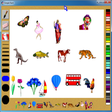
A complete paint program not just for children
Free
A simple drawing program for kids

Free
Great customizable coloring book made for kids
Free
Collection of fifteen coloring pages
Trial version
Explore Creativity with The MagicBook
Free
Application to teach kids how to draw
Bust Moves and Bricks in The LEGO NINJAGO Movie Video Game

Pack with eight games / exercises for 2 to 6 year olds
While away the hours with this electronic coloring book

Paint the characters from Cars 2

Explore Wildlife with Wild Thornberrys Rescue

A Free Kids' game for Windows
Small town life has never been so much fun
Application to teach kids how to draw
Explore the Enigmatic McInroy Manor
Hair styling fun for kids

A full version program for Windows, by Rare Ltd.