4.1
Free
NoiseWare Community Edition
Easily remove noise from your photos


Safe & trusted downloads
The best software, verified by experts
Olympus Master keeps older camera workflows together
Olympus Master, from Olympus Imaging Corp., is photo management software built around Olympus digital cameras. It combines image transfer, basic editing, ORF RAW development, calendar-based organization, keyword tools, panorama creation, and camera maintenance in one desktop workflow. The software suits photographers working with older Olympus equipment who want direct camera integration without moving between several separate utilities.
Olympus Master works as an all-in-one companion for moving images from a compatible camera, organizing them, and making everyday corrections. It also includes firmware updating for supported Olympus cameras through its online services. Automatic correction and one-touch retouching handle common color and contrast fixes, giving casual photographers a straightforward editing route without requiring a more advanced image editor.
The software supports Olympus ORF RAW files alongside common formats such as JPEG and TIFF. RAW development includes adjustments for exposure, white balance, contrast, sharpness, and saturation, while cropping, red-eye correction, resizing, and color controls cover routine post-processing. Panorama creation adds another useful option for compatible images. The editing toolkit is practical, although its RAW and correction tools remain more limited than those in modern photo software.
Calendar-based organization groups images by shooting date, making larger libraries easier to browse over time. Keyword tagging adds another way to find specific pictures without relying entirely on folders, while direct USB transfer from compatible Olympus cameras shortens the path from capture to catalog. Keeping import, organization, and editing tools inside the same application gives older Olympus workflows a clear and fairly efficient structure.
Olympus Master makes the most sense with older Olympus digital cameras, where camera integration and native ORF processing remain its main advantages. Its age is also its biggest limitation: the software lacks official support for current Windows releases and has been replaced by newer Olympus and OM System applications. That makes it better suited to maintaining an established legacy setup than building a new photography workflow around it.
Olympus Master still has a clear purpose for photographers working with older Olympus cameras and existing photo collections. Its combination of direct transfer, ORF processing, calendar organization, keyword tools, and basic editing keeps routine tasks under one roof. The trade-off is age: modern photo software offers deeper editing and better current-system support. For legacy Olympus workflows, however, Master remains a focused utility with features tailored closely to the hardware it was designed to support.

Make various batch operations on photos

Draw charts and diagrams in a flash
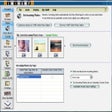
Complete multimedia suite
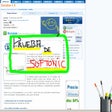
Draw freely right on your desktop
Easily create your own personal avatar

Convert PowerPoint presentations to Flash

OpenSeeIt: A Free Multimedia Photography Tool

Get the most out of your image browser
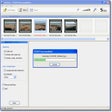
Easily create high quality panoramic images
Create Stunning Photo Collages Easily

Create seamless patterns in a flash