
3.7
Trial version
Topaz Moment
Quickly and easily capture high quality video frames


Safe & trusted downloads
The best software, verified by experts

Record, export, playback, and analyze Microsoft Kinect sensor data easily
KinectCapture is a powerful tool for recording, previewing, and exporting Microsoft Kinect sensor data. Synchronously record depth, color, skeleton, and audio streams from multiple Kinect sensors effortlessly. Visualize the recorded data in a built-in 3-D media player. Then automatically export your data into AVI video files, Matlab files, and XML to start analysis right away.
The three key components in the current release of KinectCapture are data capture, export, and visualization. The capture component enables the user to synchronously record the depth, color, skeleton, and audio streams of multiple Kinect sensors simultaneously. Through the export component, recorded capture sessions can be exported as image sequences/compressed AVI video files, Matlab (MAT) files, and XML files. The automatic export of MAT and XML files enables the seamless conversion and import of raw Kinect sensor data into third-party analysis software. The visualization component is comprised of a 3-D media player that allows the user to playback a capture session immediately after recording.
Until the release of KinectCapture, professionals desiring to work with Kinect data were limited to either expensive software or investing in the development of a similar application. Furthermore, the frequent addition of new Kinect features required additional investments to be made in order to maintain the software updated. KinectCapture addresses these issues by streamlining the entire capture and export process, and continuously updating the software to expose the latest Kinect capabilities.
KinectCapture is having a significant impact on a broad range of applications including biometrics, psychology, human-computer interaction, medicine, motion capture/video production, robotics, surveillance, computer vision, and machine learning.

The all-in-one solution for media playback

A free high-quality video downloading platform

Download Adobe Premiere Pro for Windows – Professional Video Editing at Your Fingertips

A very powerful and versatile free file converter.

The industry standard for professional motion design
Trial version
Quickly and easily capture high quality video frames
Trial version
Record a video of the activity on your screen

Free
Efficient Data Recording with ADInstruments VideoCapture

Trial version
A trial version Video program for Windows
Rip your DVD movies to other formats including iPod video

Simple tool to crop video

Axogon Mutator: Chroma Key Background Creator
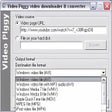
Download YouTube videos to your PC, iPod, PSP or mobile

Comprehensive pack of filters and decoders
Download videos from Youtube and a hundred other pages

Convert Flash FLV video files to AVI, MPEG or WMV

Virtual Edit: Video Creation and Editing Tool for Windows
Convert MPEG4 files for use on your iPod or PSP

Efficient DVD Burning Software for Windows

Comprehensive Video Conversion Tool for Windows
Standalone FLV video player