2.3
Trial version
Mac Notepad
Write Notes Keep Notes and Master Notes for Free.


Safe & trusted downloads
The best software, verified by experts

Simple and easy-to-use text editor
Notepad - Text Editor provides users with a clean, minimal, and no-frills writing space for plain text. In contrast to heavier office suites, this free productivity program focuses on instant usability—you open it and start writing, offering a smooth, distraction-free experience for quick text tasks.
Notepad - Text Editor is clearly designed for pure plain-text work, prioritizing simplicity, speed, and clarity in every task. Whether you’re jotting down notes, editing .txt or .csv files, organizing code snippets, or saving quick memos, it stays quiet and efficient with no cluttered menus or distracting formatting tools, keeping your full attention on writing.
Notepad - Text Editor offers a clean, polished environment focused on essential text-editing tasks. It supports multiple file types like .txt, .csv, and .xml, opened easily through drag-and-drop or direct typing. With helpful additions such as auto-save, real-time counters, and a monospace font, the program caters to plain-text drafting, coding snippets, or aligned notes, keeping everything simple and efficient without unnecessary complexity.
Beyond basic editing, the program enhances workflow with simple but thoughtful touches that make everyday writing smoother. Features such as Sticky Notes let you pin quick reminders to your desktop, while light/dark mode helps match your work environment. Auto-launch capability further boosts convenience, supporting users who rely on quick access to notes, memos, or ongoing text-based tasks throughout their day.
Despite its strengths, this editor’s minimalism also presents clear limits. It lacks rich-text formatting, offering no support for images, lists, tables, or styled text—making it unsuitable for more complex documents. Some users report inconsistencies when saving back to .txt files and express concern over key features hidden behind in-app purchases, which might feel restrictive for those expecting a fully free writing tool.
Notepad - Text Editor proves to be a reliable and lightweight option for users who value speed, clarity, and minimalism in their workflow. It handles plain-text tasks with ease, making it ideal for those who regularly work with .txt, .csv, or .xml files, as well as quick drafts, coding notes, or daily to-do lists. However, anyone needing formatting tools or advanced layout features will likely find the program too limited for more complex document requirements.

A calendar that keeps everything in one place

A simple countdown app for everyday use
A free app for Mac, by Fokusek Enterprise.

Stick to your schedule
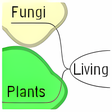
Freemind: A Versatile Mind Mapping Tool

Complete custom calendar app

Free app for counting down to events

Count down to what's most important to you

Download Google Calendar for Mac: A savvy organizational tool
An App to Seamlessly Manage Tasks at the Workplace

A full version program for Mac, by haha Interactive.

All your contacts one tap away

Streamlined and Basic Digital Calendar Application

Get Organized, Right On Your Desktop.