



5
Trial version
Fix Registry Errors
Scan, Find and Fix PC Errors Fast! Optimization of Your PC made Easy


Safe & trusted downloads
The best software, verified by experts
Restore performance on older computers
Norton Computer Tune Up is a premium development and IT software developed by Gen Digital Inc. It is a one-time computer optimization service designed to help restore performance on older Windows PCs and Macs. It uses a multi-point inspection and repair process to optimize system settings, improve startup speed, clear some memory, and remove unnecessary files that can affect hard drive performance.
In Norton Computer Tune Up, Norton-certified technicians perform the service remotely, providing professional assistance without requiring a visit to a repair shop. The service provides 24/7 access to technicians through remote assistance. This software is also a one-time purchase, as opposed to the usual subscription-based payment.
Norton Computer Tune Up helps revitalize older PCs and Macs through a multi-point inspection and repair service focused on restoring speed and performance. Instead of replacing an aging computer or paying for costly repair-shop services, users can have their devices optimized at a lower price. The service offers a practical way to improve overall computer performance without the cost of new hardware.
In addition, this platform provides convenient remote assistance through advanced remote access technology, allowing Norton-certified technicians to help users from virtually anywhere with an Internet connection. The service is available 24 hours a day, 365 days a year, making technical support accessible whenever needed. Most repairs take approximately 35 minutes, and users receive a summary report detailing the services performed on their computer afterward.
Norton Computer Tune Up provides comprehensive performance improvements through a single service. It optimizes system settings to improve startup speed and overall performance, clears memory so applications start and run faster, and removes unnecessary files that can slow hard drive performance. These optimization steps help older computers operate more efficiently and provide users with a more responsive experience during everyday use.
This software supports Microsoft Windows 7, 8, 10, and 11 in all versions, as well as macOS 10.15 or later. The service is offered as a one-time purchase and is subject to Norton's License & Services Agreement. After purchasing the service, users must redeem it within 30 days, so timely redemption is required to access the included tune-up service. However, Norton Computer Tune Up cannot resolve limitations caused by outdated hardware or replace physical upgrades such as adding RAM or installing a solid-state drive (SSD).
Norton Computer Tune Up is a useful one-time computer optimization service for improving the performance of older Windows PCs and Macs. Its remote assistance, certified technicians, system optimization, memory clearing, and unnecessary file removal provide convenient performance improvements. Broad operating system support and 24/7 availability add flexibility. Take note, however, that you must redeem the service within 30 days, and it can't replace hardware upgrades for fundamentally outdated computers.
Create image maps in the blink of an eye

HTMLPad 2018 Trial Version Overview
Remove Duplicate Items from Outlook Mailbox
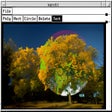
Create image maps for Web pages
Build web sites with ease using this collection of tools
Ensure that your web site is always accessible
SIP ActiveX to add SIP based IP-Telephony
Free .NET web application that lets you share your photos over the web
Efficient Tool for CSS Development
Make great look DHTML menus
Format, export and print your HTML documents