
4.8
Paid


Safe & trusted downloads
The best software, verified by experts
<h2>Full-version sans-serif for modern digital and print use</h2>
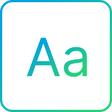
Neon Absolute Sans, created by Illusion, is a modern sans-serif typeface intended for digital displays, branding, and creative design. The font renders clean geometric letterforms and focuses on legibility across sizes, with refined spacing and kerning to support headers and body text. It ships in TrueType and OpenType formats and targets graphic designers, web developers, and marketing professionals who need a minimalist display face for UI and brand work.
Neon provides a geometric sans-serif voice that targets digital and print use, emphasizing clear shapes for on-screen reading and display headings. The family is described as suitable for both large-scale headers and smaller body text, and it is distributed in standard font formats, which makes it available to applications that accept TrueType and OpenType files. Typical uses noted include branding, UI layouts, and social graphics.
The font supplies refined spacing and explicit kerning adjustments, which the designer optimised for consistent layouts across creative tools. The character set includes uppercase, lowercase, numerals, and basic punctuation, so designers get predictable glyph behaviour for common typographic tasks. Its construction is positioned as professional-grade, helping maintain consistent metrics when exported from design software into mockups and production assets.
Installation follows a standard workflow: download the ZIP, extract files, then right-click a .ttf or .otf and choose Install to make the font available system-wide. The font is compatible with desktop platforms and applications that accept standard font files, and it can be prepared for web use by converting to WOFF or WOFF2 if licensing permits. The developer distributes the face through community repositories, so licensing details should be checked before embedding.
Neon Absolute Sans is a practical choice for designers and teams needing a contemporary display face for mockups, branding, and interface work. The DaFont listing notes the font is typically provided for personal use, so secure a commercial licence before using it in client deliverables or web embedding. With rights cleared, expect straightforward integration into creative workflows and consistent rendering across common design tools.