




2.3
Free
ID3 Editor
The small and simple MP3 tag editor


Safe & trusted downloads
The best software, verified by experts

Keep Your Music Organised
Nobody likes having to sift through a disorganised mess of poorly labelled songs when you're looking for something specific. That's where Music Tag Edit - Batch ID3 Editor comes in.
Music Tag Edit, as the name suggests, allows you to edit the tags on your music files. Using this app you can easily edit a song's artist, title, the album it's from, add cover art, change the year, the track number, even details like the beats per minute that song runs at. Multiple file formats are supported, including all the most popular ones like .mp3, .wav, .flac, and more, though it does not support all of them. This allows you keep your music collection neatly organised and easily accessible. You can search through it using any number of different criteria to find what you're looking for. The "Batch" in the title refers to the fact that you can edit multiple files at once. For example, if you have a number of songs by the same artist, this would save you altering each one manually.
The app is simple in scope and easy to use. Unfortunately it's not so simple getting the information into other apps, such as iTunes, which has to be done through export.
Free
The small and simple MP3 tag editor

Free
Efficient Music Tagging for Mac Users

Trial version
File manager for MP3 players

Free
Organise your music collections in easy and quick way: download, edit, clean up ID3 and MP4 tags, rename files in batches.
Free
Quickly rename all your MP3s

Free
Efficient Music Tag Editor for Mac Users

Efficient Music Management with Senuti
Copy invisible files from your iPod to your Mac OS X
The ultimate iPod note manager

Transfer photos between computers and mobile devices

Control iTunes from the desktop

Melk: A Free Music Application for Mac
iRepo X: Music Management for Mac Users
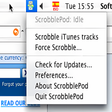
Scrobble your music on your iPod