

5
Free
Paint
A multipurpose drawing app for mobile


Safe & trusted downloads
The best software, verified by experts
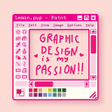
Create intricate paintings right from your device
Ms Paint is a free-to-use lifestyle app that allows you to create your own works of art. It includes all of the same features from the classic desktop program of the same name, so you won’t have any trouble relearning its various tools and features.
Similar to apps like Procreate, Ms Paint grants you the ability to create digital paintings that you can save and share with friends and family. However, compared to the former, this app has fewer advanced features and noticeably lacks layers that prevent you from messing up your entire painting when you make a mistake.
[video:youtube:CkH-WN6j4oY]
Ms Paint is a simple and direct-to-the-point tool where users can write or draw whatever they want. Whether you’re writing down notes or creating an abstract work of art, this app features a number of tools that you can use to create your output. You have the freedom to choose from a pencil, brush, or a spray can—all of which you can adjust in size.
The app also features shape and line tools to help you create perfect shapes without having to worry about squiggly lines or uneven sides. Much like the original program, you’ll also be able to find a palette of colors that you can freely use to create your artwork. You don’t have to limit yourself to the default palette, though, since you can also input your own custom color codes.
As previously mentioned, users can save their works in a variety of file types, including BMP, JPEG, GIF, PNG, and TIFF. However, you should expect some image files to take a while to save or will be unable to save entirely. There are also instances where the app will freeze unexpectedly and will require you to forcibly close and relaunch the program to troubleshoot the issue.
Overall, Ms Paint is a handy tool that anyone can use, whether you’re an aspiring artist or someone who simply wants a place to doodle or write down whatever they want. Although it’s not as advanced as other drawing apps, it’s still a good option for basic editing. Make sure to save your files multiple times, though, as there can be instances where your final output won’t save at all.
AR Drawing: Sketch & Paint - The Perfect Tool for Unleashing Your Creativity!

Bridging motion and interactive logic

A free program for Android, by Freepik Company.
Create digital designs using this free app
Image tracing tool for Android
Transform Photos and Ideas Effortlessly

Transform Floral Photography with AI Magic

Effortless Boat Booking with Boater App

Vibrant Tom And Jerry HD Wallpaper App

Zawa: Your AI Branding Assistant

Transform Your Pet into a Hero with KodaPix AI