Mockwear: 3D Clothing Mockups for Android
Mobile 3D mockups for apparel designers, editable on the go
- Free
- 4.9
- V 0.6.6
Mobile 3D mockups for apparel designers, editable on the go
Transforms 2D artwork into photorealistic garment presentations using mobile 3D templates and an on-device editor. Mockwear: 3D Clothing Mockups was created by Ostreno for indie apparel founders, streetwear designers, and print-on-demand sellers who need quick, shareable visuals. The app combines direct-on-garment painting, templated fits, and export tools so users can iterate designs, create marketing images, and preview placement before making physical samples.
How the app handles real-world mockup tasks
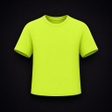
Mockwear renders designs onto 3D garments so creators can check artwork placement and fabric interaction. The app supplies hoodies, tees, caps, and oversized fits as templates, and it maps uploaded PNG or JPG files onto those surfaces. A 3D Surface Painting mode lets you brush directly onto the garment mesh, which helps when adjusting seams, sleeve graphics, or layered logos without switching to desktop software.
What device compatibility and export options mean for daily workflows
The Android app runs on devices that support real-time 3D rendering and exposes scene controls for background, lighting, and model rotation. Users can export high-resolution images and videos suitable for social platforms; exported media are optimized for sharing from the device. Advanced exports up to 4K require the Pro tier, so creators who need print-grade renders should plan for account-level feature access to unlock those sizes.
User interface, feedback, and privacy for hands-on design sessions
The editor offers a text tool with curated fonts and HSL color sliders, plus PBR shading that accounts for folds, highlights, and shadows during editing. Onboarding focuses on templates and the paint workflow, which reduces setup steps for quick iterations. The developer positions the app as mobile-first, and users report strong visual quality; the app requests device capability for rendering and stores editable projects on the device unless an account tier changes export options.
To sum up, who benefits and one practical caveat
Mockwear fits designers who need fast, high-fidelity previews on a phone and who value direct 3D painting and realistic lighting for client pitches or product pages. It is less suited to those who require every export at print-ready resolution without enabling the Pro features. For mobile-first apparel work, Mockwear delivers a focused studio that speeds visual decisions and reduces the number of physical samples needed.
Pros
- Direct 3D surface painting for on-garment edits
- Supports PNG and JPG uploads for custom artwork placement
- PBR shading produces lifelike fabric folds and highlights
Cons
- High-resolution exports gated behind the Pro tier
- Requires an Android device capable of real-time 3D rendering
- Some advanced studio controls unlock only with account-level access
Mockwear: 3D Clothing Mockups for Android
- Free
- 4.9
- V 0.6.6