


4
Paid
djay Pro
A Review of the DJ Software djay Pro


Safe & trusted downloads
The best software, verified by experts
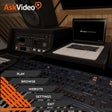
Mixing lessons without the plugin confusion
Mixing Tracks For Ableton Live 10 from AskVideo is a standalone Ableton Live 10 course that teaches mixing through video lessons. It focuses on practical topics such as EQ, compression, routing, spatial effects, automation, and gain staging using Live 10’s native tools. The course is aimed at aspiring producers, home studio hobbyists, and intermediate users who want structured audio mixing lessons, not a new production tool.
The app is a standalone, video-based mixing tutorial built around Ableton Live 10’s native workflow. Lessons cover key mixing concepts and Live devices such as EQ Eight, Compressor, and Glue Compressor, while also addressing gain staging and headroom. Its focus on built-in tools helps learners follow along without relying on third-party plugins.
The course encourages a practical learning loop: users watch a lesson, then apply the demonstrated techniques inside Ableton Live 10. Having Live 10 available is important for hands-on practice, since the app itself does not process audio or host sessions. Its standalone format keeps the course separate from a browser, which can help learners focus on one topic at a time.
The program is delivered as a Windows educational app and is tied to the Live 10 interface and workflow. It is not a plugin for Ableton Live, and it does not add effects, instruments, or editing features. AskVideo positions it within a broader music-production curriculum, making it better understood as training material than production software.
The format and topic choices create clear limits. The course centers on Live 10-specific workflows and does not focus on third-party VSTs or external plugin chains. Because the content is delivered as linear video lessons, there is no DAW-hosted interactivity or in-app mixing. Noah Pred’s trainer-led instruction gives the course a clear teaching voice, but the format remains fixed.
Mixing Tracks For Ableton Live 10 fits users who want focused, trainer-led Ableton Live mixing instruction using the program’s built-in devices. It works best as a companion to hands-on practice inside Live 10. Users who need interactive in-DAW lessons, newer-version coverage, or broad plugin training need a different course or a more current learning path.
Paid
A Review of the DJ Software djay Pro
Trial version
Best choice for a novice user to organize, manage, view and edit digital photos

Trial version
The Vocal Imitation is a software module that allows the user...

Paid
How to Download the Switch for Bose SoundTouch App on Windows
Paid
Get creative with Cubase Pro 10

Free
A music and radio app for Windows
Free Multimedia Player for Windows Users

More than 3,000 free online TV channels and radio stations

Listen to and record radio stations from around the world
A free app for Windows, by Okan Ozcan.

Listen to music of the 60s, 70s and 80s and record it

How do you save a recording?
A free app for Windows, by Music Like Media.

Mufin for iTunes: A Free Music Management Tool

A free program for Windows, by ihateeth.
Viva Radio Standalone Player: Free Music Streaming
Easily transfer your iTunes music between your computers