3.1
Free
gTalk Sidebar
Use Gtalk from the sidebar in Firefox


Safe & trusted downloads
The best software, verified by experts
The Minimap Addon gives you a suite of in-built maps and mapping tools for your web browser. Create and save a sidebar map using the addresses or address links you find on web pages (highlight then drag and drop), or by manually adding locations. View traffic Info, drag and drop kml files, local search, Google, Yahoo and Live Local directions, view in google earth, tagzania, platial, geourl and many more. Address/Location points are stored locally for later use.
This extension comes with two mapping components, the main and most powerful one being a minimap sidebar. In this sidebar you can drag and drop addresses or locations you find on web pages and they will be automatically located, and added to your saved address list. The sidebar is launched from the toolbar icon (customise toolbar and drag in), a statusbar icon and the view sidebar menu.
The extension also comes with a main browser Map Tab for viewing a larger map and this is accessed from the statusbar or by highlighting an address, and selecting 'Map Tab: Locate Address...' in the right click context menu. A few of the extension features available:

Type in a language of your choice

Simplified device management and network configuration

Bringing your apps closer to your browser workflow

Zotero: essential tool for research management

Simplify your life with Google’s digital notepad
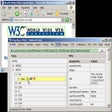
Analyze online content and check out the code used

Enhance Your Browsing Experience with Evri Toolbar
Extract data from text sources online or on your hard drive
Receive e-mails of your favorite sites when they are updated

Effortless Access to Google Calendar on Chrome
Keeps you up to date with what's new on the web

Share your browsing experience
Make your browsing more fun and secure

Enhance Your Browsing with Hyperwords

Eradicate your Internet tracks in Firefox
Warden: A Trial Add-on Tool for Windows

Automate Repetitive Tasks with iMacros for Firefox