Minicraft Block: Build it 3D for Android
<h2>Minicraft Block: Build it 3D, mobile sandbox crafting on Android</h2>
- Free
- 4.9
- 6
- V 1.2
<h2>Minicraft Block: Build it 3D, mobile sandbox crafting on Android</h2>
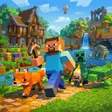
Minicraft Block: Build it 3D, developed by Valyron Games, echoes Minecraft's block-based freedom while focusing on mobile play with simplified controls. The app is a sandbox simulation that centers on mining, crafting and building within a procedurally generated 3D block world. It offers offline play, character customization, and modes that separate free-form construction from survival objectives. The design aims at fans of crafting games, parents seeking family-friendly titles, and casual players on Android devices.
What kind of progression and goals define play?
The app ties progression to material collection and construction, not linear missions. Players gather ores such as gold, iron and diamonds to unlock stronger tools, weapons and armor, and to craft furniture for bases. That resource-to-upgrade loop encourages long-term projects, from small shelters to large builds, and gives players measurable advancement through improved equipment and expanded building possibilities.
Does it separate creative building from survival pressure?
The app provides distinct play styles with Creative and Survival approaches. Creative mode removes resource limits for unrestricted construction, while Survival requires mining, crafting and defending against nocturnal monsters under a day-night rhythm. Taming and keeping pets adds another layer, with pixel-art companions like puppies, cats, horses and sheep available to inhabit player settlements.
How does it present visually and perform on mobile devices?
Graphics use blocky, pixel-art 3D that reads clearly on small screens and supports large-scale builds without clutter. Sound design favors ambient effects and simple cues for combat and day-night shifts. Touch-and-move controls are tuned for phones, and the lightweight engine is designed to run smoothly across many Android devices, while offline capability lets players work on worlds without a network connection.
In summary, a practical pick for casual mobile creators
The app suits younger players and casual creators who prefer portable, session-friendly building and a gentle progression curve. It rewards patient construction and steady advancement rather than complex simulation detail. Players seeking tightly simulated systems or highly granular mechanics should consider that the design privileges accessibility and mobile performance over simulation depth.
Pros
- Offline play supports building without a network connection
- Lightweight engine designed to run well on many Android phones
- Simplified touch controls make it approachable for children
- Procedurally generated biomes enable varied exploration and replay
Cons
- Simplified controls limit access to deep simulation mechanics
- Progression depends on repeated resource collection for upgrades
- Survival night encounters increase difficulty for very young players
Minicraft Block: Build it 3D for Android
- Free
- 4.9
- 6
- V 1.2