


3.6
Free
Free Visio Viewer
A helpful software for viewing Visio files without Microsoft Visio


Safe & trusted downloads
The best software, verified by experts
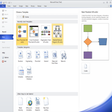
Download Microsoft Visio for Windows – Create and share diagrams for productivity
Microsoft Visio is meant for designing and sharing diagrams like flowcharts, mind maps, organization charts, network diagrams, UML diagrams, floor plans, and other charts. It’s also called Visio in Microsoft 365 if you access it through a Microsoft 365 subscription. With a free download of Microsoft Visio for Windows, you can compile and present charts for presentations with even more advanced features than if you had done them through Microsoft Excel. Speaking of Microsoft Excel, this is the perfect tool to work in tandem with the popular spreadsheet software. If you have a complex set of data or information within a Microsoft Excel spreadsheet, you can easily use the compatibility features of Microsoft Visio for Windows to present that information in a graphic tool.
Microsoft Visio is a versatile tool for creating and sharing diagrams like flowcharts, organizational charts, floor plans, and network maps. It offers a variety of templates to get you started, with an intuitive drag-and-drop interface that's beginner-friendly. New users can rely on an interactive guide and extensive help features. You can fully customize diagrams, adding elements like hyperlinks, documents, and CAD drawings. The built-in Diagram Check function helps catch errors, making it ideal for professional use. You can share work through SharePoint, import Excel data, and automatically generate diagrams. While not flashy, it's a reliable and practical solution for diagram creation.
One of the best features that Microsoft Visio offers is the familiar layout of other Microsoft products. You will see the same tools in the same layout, including the familiar ribbons on the top of the screen, which offer common tools and actions with one click. You can also integrate the charts and diagrams that you build out in Visio into other Microsoft products.
Depending on the version of Microsoft Visio that you download, you will need to ensure that your computer is running a compatible system. For those who are accessing Visio in Microsoft 365, you should make sure that you’re running a system compatible with Microsoft 365. The minimum you should be operating is Windows 10, but anything more recent will also work. The benefit of working through a Microsoft 365 plan is that you’ll be working with the most recent version of Visio without any need to continue updating or purchasing a new license when improved versions are released.
One of the best ways to access Microsoft Visio for Windows is through a Microsoft 365 subscription. Yes, you can still download and purchase Microsoft Visio through a traditional license, but this is a much larger up-front cost and will only operate on the computer or device you choose to install it on. With Microsoft 365, you will be able to log into your Microsoft profile on any device and get access to your work, your apps, and, in particular – Microsoft Visio.
Needless to say, you’ll want to make sure you are subscribing to a Microsoft 365 that includes Microsoft Visio if that’s the main draw for you. The main plans for Microsoft 365 do not include Microsoft Visio, so you’ll need to pay for a Visio Plan. However, the one exception is Microsoft Commercial and Education plans, which are purchased by large businesses or universities to provide for their employees or students.
Both plans are available as separate subscriptions and are not bundled with standard Microsoft 365 plans, so be sure to choose what works best for your needs.
Free
A helpful software for viewing Visio files without Microsoft Visio

Free
Visual business process modeling tool
Paid
Download Microsoft Excel 2010 for Windows: Organize your data with spreadsheets and tables

Trial version
Planning discipline for complex delivery work

Trial version
A reliable spreadsheet classic built for productivity
Free
Free Tool for Office Artists
Advanced civil engineering software

Free all-in-one office suite

Comprehensive Project Management with Microsoft Visio

Free project management application
Download Microsoft Project 2013: Project management streamlined

Distribution fitting made easy

Efficient Project Management with Money Bit

Efficient Project Management with SM Video Club

Efficient Project Management Tool for Windows

Efficient Project Management Tool for Windows

Efficient Project Management with Biblioteca Visual

Efficient Business Management with ClassicGes