
4.9
Free
Microscope Zoom HD Camera
Microscope Zoom HD Camera: High-Resolution Zooming App for Android


Safe & trusted downloads
The best software, verified by experts
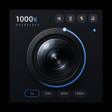
<h2>Mobile 1000x Microscope for Close Inspection and Macro Photography</h2>
Microscope 1000x Zoom Camera, from Monova Tech Pvt. Ltd., converts an Android device into a portable inspection microscope for examining fine detail and capturing images. The app combines your phone's optics with software magnification so you can study texture, solder joints, and small specimens in the field. Key controls include a precision zoom slider, focus modes, LED illumination and a dark, distraction-minimizing interface. You get a compact tool aimed at students, hobbyists, and technicians who need quick, photo-backed inspection.
The app addresses close-up inspection tasks where you would otherwise use a loupe or bench microscope. You can examine coins, stamps, jewelry settings, circuit boards, and small biological specimens with handheld convenience. Capture-oriented workflows focus on producing still images for documentation or study, so the tool fits tasks that need portable visual records rather than extended lab measurement or laboratory-grade sample preparation.
The app supports HD photo capture with image files up to 12 megapixels when your hardware allows, and saves images directly to your device gallery. Image clarity is strongly dependent on your phone's camera sensor and optics; the magnification is achieved with digital algorithms rather than additional laboratory optics. The developer notes optimization for modern Android hardware, with some listings indicating fuller support on recent platform releases.
The interface uses a dark, low-distraction display to keep the subject prominent, and offers controls that keep live view adjustments on-screen. You can switch between front and rear cameras for different angles and enable optional grid overlays to help compose macro shots. A pause function freezes the live view so you can study or photograph a stable frame without the live-motion blur common at high magnifications.
The app is designed for exploratory and repair-focused users rather than replacing optical laboratory microscopes. It gives accessible magnification and image capture for classroom, collection, and hobby repair tasks, but professionals requiring calibrated optical measurements should not rely on digital-only magnification. The balance favors portability and documentation over precision metrology, which aligns with the stated target uses and the app's software-driven magnification model.
If you want handheld, photo-capable magnification for collecting, repair work, or classroom observation, the app opens a low-friction gateway to close-up study. Expect useful image documentation and on-device control, but accept that the experience depends on your phone's camera hardware and does not replace laboratory optical instruments. It is best as an approachable inspection tool rather than a substitute for calibrated microscopy.

AI-powered photo editing software

A powerful free tool for video professionals

Advanced camera controls for mobile photography

Trendy presets for editing photos and videos

AI-powered enhancements and flawless retouching
Free
Microscope Zoom HD Camera: High-Resolution Zooming App for Android

Free
Digital Microscope Lens Cam Overview

Free
Magnifying Zoom Microscope HD: Powerful Zoom Camera for Distant Objects
Free
A free program for Android, by Sp.
Free
Magnifying Microscope Zoom HD Camera - A Powerful Photography Tool

Free
Ultra Zoom Microscope Camera - A Powerful and Easy-to-Use Camera App for Android