



4.9
Free
Wireless Microphone
A free program for Android, by Power Star APPS.


Safe & trusted downloads
The best software, verified by experts
<h2>Turn your Android into a portable PA with MicIQ</h2>
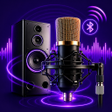
MicIQ-mic to bluetooth speaker, developed by Techloop Solution, converts an Android phone into a portable microphone for speakers, teachers, and event hosts. It streams the device microphone to external audio hardware in real time via Bluetooth or a wired AUX connection, with adjustable volume and gain and one-tap activation for quick use. The app is lightweight and suits small gatherings and impromptu performances where a dedicated wireless microphone is impractical. Educators can project audio across classrooms without extra hardware, and hosts gain a portable PA alternative.
MicIQ repurposes a mobile device into a live voice amplifier that covers the capture-to-output stage of a simple sound setup. Instead of carrying a separate transmitter and receiver, the phone handles both capture and streaming using its built-in hardware and Bluetooth connectivity, making it a practical substitute for short-range spoken-word events and casual karaoke sessions. The app addresses on-the-spot amplification needs where portability and quick setup matter more than studio-grade tooling.
The app supports wireless pairing with Bluetooth speakers and a wired AUX path for direct outputs. Wired AUX is presented as a lower-latency option, which helps when audio timing matters. A short list of typical outputs includes
MicIQ targets people who need immediate voice amplification rather than audio engineers who require multitrack mixing. The interface is focused on simplicity while still offering volume and gain controls, so newcomers can start quickly and make basic tonal adjustments. What's more, the presence of manual gain lets experienced users tame feedback and ambient noise. However, there is no indication of a dedicated mixing or multi-channel panel for complex live sound work.
The app's lightweight design aims to keep performance steady on typical Android devices, which suits classrooms and small gatherings. Real-time voice transmission is the intended mode, and choosing the wired route reduces timing concerns that sometimes affect wireless audio. Unlike purpose-built wireless microphone systems, MicIQ depends on the phone and paired speakers, so event planners should test the setup beforehand to confirm coverage and feedback behavior in the chosen space.
In conclusion, MicIQ is a practical option for educators and hosts who need on-the-spot voice projection from a mobile device; it gives basic tonal control and simple setup in exchange for the deeper routing and multi-channel mixing found in professional sound rigs. The app fits situations where convenience and portability outweigh the need for studio-level audio control.
Free
A free program for Android, by Power Star APPS.
Free
A free app for Android, by AwamiSolution.

Free
A free app for Android, by Harsh HD.
Free
Bluetooth Mic to Speaker Live - Turn Your Phone into a Wireless Microphone
Free
A free program for Android, by Infinite_Apps.
Free
A free app for Android, by Sonova AG.