3.8
Free
Convert
A free Science & education program for Windows


Safe & trusted downloads
The best software, verified by experts
A free and lightweight unit conversion tool
Master Converter by Savard Software is a lightweight and dependable unit conversion tool built for fast, accurate results. It supports a wide range of measurement categories, making it useful for students, engineers, educators, and everyday users who need quick answers. The program’s focus on simplicity makes it ideal for offline use, especially when web-based tools or complex calculators are unnecessary.
While the interface feels outdated, Master Converter makes up for it with speed, stability, and broad utility. You won’t need to juggle multiple apps, browser tabs, or online converters—everything is handled locally in one small, efficient package. For anyone needing frequent, reliable conversions across various units, this tool offers clarity, control, and convenience.
This compact utility supports over 650 units across more than 40 measurement categories, including temperature, energy, power, volume, force, and many others. Whether you're tackling physics homework, converting recipes, or reviewing engineering data, Master Converter covers both basic and technical units with ease. Users simply choose a category, select the source and target units, enter a value, and watch the conversion update instantly. It’s efficient, clear, and built for speedy results with minimal steps.
One standout feature is the built-in calculator. Instead of switching between tools, users can enter equations directly—like “7.5 * 2.54”—and the app will process the math before applying the unit conversion. This is especially useful for those handling batch calculations or solving problems that require extra computation.
Though visually dated with its early 2000s aesthetic, the interface remains surprisingly functional. Drop-down menus are responsive, units are clearly labeled, and the list of categories can be customized to fit your workflow. There are no ads, tracking, or background services—everything runs locally and without interruptions. Even on older machines, Master Converter launches quickly, consumes minimal resources, and performs without crashes, making it a reliable choice for offline conversion tasks.
If you’re looking for a dependable unit conversion tool that works quickly, accurately, and without distractions, Master Converter is a strong choice. It doesn’t aim for visual appeal or modern design, but its functionality is consistent and effective. Whether for academic, technical, or everyday use, this free software remains a practical addition to any desktop utility toolkit.

Free alternative to Microsoft Office
Trial version of a basic converter
Scientific Calculator: Mathematics at your fingertips
A free and useful PDF converter for Windows

Free and Open Source Alternative to Macsyma or Maple
Free
A free Science & education program for Windows
Free
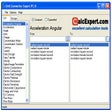
Convert between more than 2,100 measurement units
Free
Simple, reliable unit conversion on desktop
Free
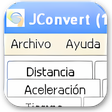
Efficient Conversion Tool for Windows Users

Free
Convert anything and everything
Free
Comprehensive Tool for Mathematical Calculations
Scientific Calculator: Mathematics at your fingertips

Extract information from mobile phones for investigation

The complete control battle game

Efficient Tool for Container Loading Calculations
Convert your PSD files into JPG, PNG, GIF or TIFF!

Powerful document conversion in a simple package
Convert Doc to PDF

The best screen recorder for Windows 10
Equalizer for Windows: Free and Easy-to-Use Offline Desktop Calculator

Convert JPG to PDF - PDFCool Converter