





3.4
Free
MilkShape 3D
A Trial version Design & photography program for Windows


Safe & trusted downloads
The best software, verified by experts

<h2>Parametric humanoid prototyping for rapid character creation and rigging</h2>
MakeHuman, by The makehuman team, is an open-source tool for prototyping photorealistic humanoids for 3D projects. It uses parametric morphing with more than 1,000 sliders to shape age, gender, ethnicity, and proportions, then applies automatic rigging and optimized topology to prepare models for external pipelines. The app includes a community asset library, MPFB Blender integration, CC0-exported characters, automatic skinning, and support for OBJ, FBX, DAE, and STL formats. Aimed at 3D artists, indie developers, illustrators, and researchers who need anatomically plausible base meshes quickly.
You can produce a posed, deformable character without hand-sculpting because the tool uses parametric modeling driven by sliders, not vertex-by-vertex editing. More than 1,000 sliders let you explore proportions and demographics quickly, turning concept ideas into editable base meshes you can iterate on before moving work into a dedicated renderer or engine.
The app writes industry-standard formats so you can import characters into your pipeline with minimal friction. OBJ, FBX, Collada (DAE), and STL are supported, and characters are exported under a CC0 license, which removes reuse restrictions for assets you create. The app also provides a dedicated MPFB plugin to connect directly with Blender for tighter exchange.
You interact through a graphical panel of morph targets rather than sculpt brushes, which lowers the entry barrier for non-sculptors. Automatic skeletal rigging and skinning prepare models for posing and animation immediately, and a community asset repository supplies clothing, hair, and expressions you can drop onto a mesh. The app requires a GLSL-capable GPU and about 500MB of free disk space to run.
The mesh topology is optimized for deformation, so the models deform predictably under animation and posing. That makes the app effective as middleware between concept and final production. You should plan to finish texturing, advanced hair, and renderer-specific shading in a dedicated tool like Blender, Unity, or Unreal Engine after export; the app is designed to hand off rather than to replace those finishing stages.
If you want to iterate on silhouettes, proportions, and rigs without learning sculpting workflows, this app is a pragmatic starting point that gets you to animatable meshes fast. Expect to use an external production tool for final shading, hair work, and renderer-specific polish; the app functions best as an efficient bridge from concept to the rest of your pipeline.
Free
A Trial version Design & photography program for Windows

Free
A Free Design & photography program for Windows
Trial version
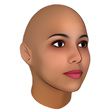
Create 3D human faces and export them to various 3D file formats
Free
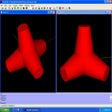
A complete and powerful 3D model editor software

Free
Open Wonderland: 3D Authoring Tool for Collaborative Environments