

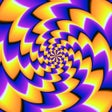
Magic Wheel - Spin Art Drawing for iPhone
<h2>Spin-based drawing for playful, meditative kaleidoscopic art</h2>
- Free
- 4.9
- V 1.1.4
<h2>Spin-based drawing for playful, meditative kaleidoscopic art</h2>
Magic Wheel - Spin Art Drawing, by Hai Nguyen Minh, turns finger strokes into symmetrical, glowing artwork on iPhone and iPad. You draw while a rotating canvas converts each mark into radial patterns, letting you explore symmetry and neon effects without complex controls. The app includes adjustable brush size, color palettes, and wheel-speed controls to shape results. It suits children, casual artists, and anyone seeking a relaxed, meditative creative activity that produces shareable decorative images.
What kinds of images does Magic Wheel produce and how?
You watch simple gestures become mandalas and kaleidoscopic designs because the app maps strokes onto rotational symmetry, then renders them with glow and neon-style brushes. Specialized brush types add luminosity and texture so a single line can read as a complex petal or star. The customization of brush size and color gives you control over density and contrast, making quick decorative pieces or more deliberate, layered wheel art.
How does Magic Wheel handle saving, inspiration, and learning?
The app provides an Artwork Gallery where you store and export creations to your device, and a creator feed that surfaces wheel art videos for reference and ideas. It also offers step-by-step lessons that teach techniques for building intricate patterns from basic shapes, which helps you progress from simple doodles to composed designs without external tutorials.
Is Magic Wheel suited to beginners, children, or more experienced creators?
Designed for low friction entry, the app includes guided lessons and templates that help beginners and children make polished pieces quickly. At the same time, adjustable wheel speed and tool controls let you experiment with timing and stroke behavior, so curious hobbyists can push output complexity. The experience emphasizes practice and relaxation rather than precise photo editing, positioning the tool as a creative playground more than a studio replacement.
Magic Wheel is an inviting gateway for casual creators and the curious
You get a playful, low-pressure route into symmetrical digital painting that rewards exploration and repetition; the app is especially good if you want meditative output rather than exacting image control. Expect to trade fine-grained bitmap tools for immediate visual payoff and creative calm, making it an accessible starting point for families, hobbyists, and anyone who likes decorative, glowing compositions.
Pros
- Physics-informed rotation turns simple strokes into complex radial patterns
- Glowing and neon-style brushes produce vivid, decorative output
- Step-by-step lessons help beginners produce detailed designs
- Artwork Gallery lets you save work and browse creator videos
Cons
- Some premium brushes and tools are behind an Unlimited Access Membership
- Not designed for pixel-precise photo retouching or compositing
- Focus on decorative symmetry limits traditional layer-based editing
Also available in other platforms
Magic Wheel - Spin Art Drawing for iPhone
- Free
- 4.9
- V 1.1.4
Top downloads

StoryFont for Instagram Story
StoryFont - The Best Way to Make Amazing Stories for Instagram

Drawing Grid For The Artist
Drawing Grid For The Artist

Castle - Make and Play
Castle - Make and Play

PrintMaker
PrintMaker: Portable Printing Revolution

Wepik
Wepik: Design Like a Pro with Thousands of Free Templates