





2.9
Free
Free Video Converter
A free app for Mac, by Leawo Software.


Safe & trusted downloads
The best software, verified by experts

A multifunctional converter
MacX Video Converter Free Edition is a non-premium version of MacX Video Converter Pro. True to its name, it is a multimedia converter that not only has a user-friendly interface for no-fuss operation, but is also packed with a host of features such as audio extraction, batch conversion, video size compression, and many more.
Through MacX Video Converter Free Edition users can convert multimedia files that are smaller in size without losing quality, therefore promising the best viewing experience. Best of all, it leverages up to a maximum of eight CPU cores to deliver faster conversion speeds.
To use MacX Video Converter Free Edition, select a file from your device or use the drag-and-drop option and select your preferred output format from the Output Profile Category, which includes a healthy mix of audio and video file types for general viewing, Apple- and non-Apple devices, or social media platforms. Each profile includes a slider for adjusting the quality of the conversion.
As a rule of thumb, the higher the quality, the slower the conversion speed will be. Furthermore, the gear icon beside a queued media file will bring up a window where you can set its bitrate, framerate, resolution, aspect ratio, and many more. Once you’re settled with your file’s settings and output type, click Run and the file will be converted to your chosen format.
Like Ziiosoft Total Video Converter, the program includes a video editor for doing basic editing tasks. These include trimming, adding subtitles, cropping, and merging, to name a few—thus making it easier for beginners to get into video editing. Taking it a step further, it also allows for the creation and sharing of photo slideshows for showcasing the best moments of your life.
Overall, MacX Video Converter Free Edition is not just your average converter. It is also an audio extractor, slideshow creator, and video-editing tool packed into one user-friendly software. The diverse selection of output profiles is its best feature, allowing you to convert media to your desired format without deteriorating its quality. It’s important to note, however, that the conversion speed is affected by the quality of the converted file.
Free
A free app for Mac, by Leawo Software.

Trial version
Versatile Video Tool That Gives You So Much

Free
Free Video Conversion Software for Personal Use

Free
A free lite version of an MKV video converter
Free
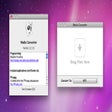
Free Multimedia Conversion Tool for Mac

Free
A no-frills but functional free DVD converter
A full version program for mac

Comprehensive Overview of iDVD for Mac

Efficient Cue-Splitter for Mac Users
Subler: A Free Multimedia Tool for Mac
Convert FLV and F4V Files
Professional special effects editor for those on a budget
User-Friendly Image/PDF File Conversion Tool

Cool Tool for Video Editors

Find the Symbol you Need in 10,000 Icons Clipart Symbols for Creatives

Cool Tool for Web Creators