



4.5
Free
Everything
Transform how you search for files and folders on your PC


Safe & trusted downloads
The best software, verified by experts
Efficient File Searching for Desktop Users
Locate, developed by Uku Taht, is a free file-search utility designed to help users quickly find files and folders across their systems. It builds and references an indexed database, allowing instant lookups without rescanning the entire drive each time. The lightweight design focuses on speed and simplicity, offering a practical solution for users who prefer an offline, no-cost alternative to built-in search tools. The program supports the English language and retains a compact, efficient interface suitable for everyday file discovery.
Locate provides a straightforward way to pinpoint files using filters such as file name, directory, or extension. It maintains a searchable database that users can update manually or automatically, enabling faster results even on large drives. Its layout follows familiar desktop conventions, making it easy to learn and navigate. The focus remains on core search performance rather than additional integrations or cloud features, keeping the experience consistent and efficient for those who prefer minimal setup.
The program’s indexing method enables near-instant searches with very low resource use. Once the index is built, Locate scans its internal database rather than the file system directly, allowing rapid results regardless of drive size. It functions reliably on most desktop configurations without requiring advanced hardware or third-party components. While it lacks modern conveniences such as real-time indexing or cloud connectivity, its performance remains strong for local file searches and quick lookups.
Locate is aimed at users who value speed and simplicity over additional features. It does not support multitasking, advanced customization, or multi-language options, instead keeping the workflow focused on file discovery. Although the tool has not received major updates in recent years, its design continues to deliver consistent functionality for users seeking a small, dependable search utility. Its effectiveness depends primarily on maintaining updated indexes and organized drive structures.
Locate remains a reliable option for users who want a fast, no-frills way to find files on their systems. Its free access and efficient indexing make it useful for both casual and technical users handling large collections of documents or media. Despite its legacy status and absence of modern cloud or content-search capabilities, it performs its intended role effectively, offering a focused, resource-friendly approach to file retrieval.
Free
Transform how you search for files and folders on your PC
Free
Wake-up your computer remotely

Free
Advanced PC-based scout bot for personal use
Free
Monitor file usage within a computer network

Free
Efficient File Management with Windows Search

Free
Info when you want it, right on your desktop
Efficient File Search Tool for Windows

Fast and precise local file search tool

Replace text in multiple code pages simultaneously

Efficient Document Search Tool for Windows
FileFinder is a really fast and easy to use file search utility.
Efficient local search for your computer

Perform rapid searches on your computer

Search for torrents for free

UltraFileSearch Lite
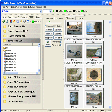
Very advanced search tool

Efficient File Search Tool for Windows

Hulbee Desktop: Efficient Search Tool for Windows