


3.5
Trial version
Font Creator
Create and modify TrueType font files


Safe & trusted downloads
The best software, verified by experts

Type in Any Language Without Keystrokes
Composing contents in a language other than English can be hard since basic keyboards come in the English alphabet and there are very few non-English fonts available for download. Not to mention, most programs do not support other languages. Lipikar is a simple yet unique desktop authoring tool that you can use to create short passages of texts in any language without keystrokes. With this app, you no longer need to remember which character of a particular font responds to which keys. Whether you are a novice or power user, foreign language text-entry will become a simple task.
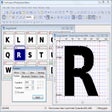
As mentioned, Lipikar lets you compose textual contents without keyboard stickers. The app allows you to type words in various languages. Once installed and launched, you only need to select a font from any of the installed fonts and start typing. The app will lay out a grid of all the typeable characters, that is ASC (32) through ASC (255), of that font. Simply click any of the characters on the grid, and it will copy that character to the writing area. To compose a passage, just click one character after another. Once done, you can transfer your entire composition to your chosen word processor and format it as you like.
Lipikar supports the diverse languages and scripts of India, such as Assamese, Bengali, Gujarati, Hindi, Kannada, Kashmiri, and Kodagu. But that’s not all—you can also use with any other non-English language, including Baluchi, Brahui, Dzongkha, Nepali, Sanskrit, Sinhala, Tibetan, Tulu, and Urdu, among others. More so, it supports other non-Roman scripts, like Cyrillic, Georgian, Arabian, Greek, Mongolian, and Hebrew. In other words, if you have a non-Unicode font installed on your computer, you can use Lipikar to write text without the aid of your keyboard.
However, users must note that Lipikar does not support extended Unicode or DBSC fonts. More so, files saved in other folders cannot be used. The app is also not a virtual keyboard. In fact, it is a better alternative. Furthermore, the app is not a word processor and only comes with limited text formatting capabilities. The entire text file is also limited to about 60, 000 characters.
Lipikar is created for both academics and serious users. Aside from supporting various languages, it also has a wide selection of features to give you further convenience. For one, it allows you to compose texts with your mouse. You don’t need to remember Ctrl + Shift-Alt-Key combinations. Moreover, it comes with a mouse-sensitive zoom window that lets you see any character or letter clearly before using it.
Additionally, it offers a font-based text search that let you search text with the font it was written with. It even allows you to create, save, or load your layout of FontMap by picking only the letters you need and arrange them. With this, you don’t have to browse through the app’s extensive list of supported fonts.
Finally, Lipikar has a keyboard map viewer that lets you find out which key on your keyboard is mapped to which character of any font.
All in all, Lipikar is a convenient app to have if you are constantly in need to write compositions in a non-English language. It supports various languages and fonts and does not need keystrokes, so you can type in your texts with just your mouse. Lipikar is also a freeware and does not require registration.
Trial version
Create and modify TrueType font files

Free
Manage Fonts Easily with NexusFont
Free
Explore Unique Designs with Artistic Font Collection
Free
Explore Your Fonts with AMP Font Viewer

Free
Font preview program for PC
Free
Repair fonts installed on your PC effortlessly
Explore Your Fonts with AMP Font Viewer

Free font for barcode creation
Grab the name of the font

Simple, sharp, and easy to read

Mastering the art of modern type

An Arabic-style font
Jugend WF: A Vintage Typeface for Creative Design
Dynamic Font Family for Urban Aesthetics
Stylish Geometric Font for Modern Design
Bold Cultural Display Font for Creative Projects
Charming Hand-Drawn Script Font for Creative Projects
Elegant Script Font for Personalization