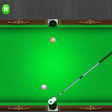
Lets Play Snooker 3D for Android
<h2>Mobile cue-sports simulation that brings table play to Android</h2>
- Free
- 4.8
- V 3.3
<h2>Mobile cue-sports simulation that brings table play to Android</h2>
Lets Play Snooker 3D, developed by Rational Studio, is a mobile cue-sports simulation built to reproduce table play on Android devices. The app maps aiming, spin and shot power to touch gestures while representing different rule sets and practice options. It bundles Snooker, 8 Ball and 9 Ball modes and offers customizable table skins and cue designs. Casual players and cue-sport fans gain a focused, portable environment for short matches and practice sessions.
What kind of game is this app?
The app acts as a physics-first sports sim that emphasises tactical shot selection and cue-ball control. A sophisticated physics engine models ball movement and collisions, so decisions about angle, spin and force feel consequential. Players set up shots, judge contact points and execute with touch gestures that map spin and power, producing a core loop built around precise planning and single-shot execution rather than arcade reflexes.
How do single-player and head-to-head sessions play out?
Single-player modes include practice sessions paired with AI-driven challenges that let players isolate shots or run through match-like scenarios. Local multiplayer supports two players on the same device, turning the screen into a shared table for alternating turns. That arrangement suits couch-style play and quick head-to-head rounds, though it changes social dynamics compared with remote multiplayer environments.
What does the game look and feel like at the table?
Visuals use high-definition 3D graphics to present a table-side perspective that highlights spin trails and cushion interactions. Cue and table customization options let players change skins and cue designs, which reinforces personal attachment to recurring play sessions. The interface presents a single-camera view with touch aiming, keeping visual focus on shot geometry and ball positions rather than on decorative overlays.
Is it hard to get started and does it keep you coming back?
The app targets an accessible learning curve by offering practice drills and progressively challenging AI. Mastery comes from learning spin, cue placement and power control, which rewards repeat play. Replay value rests on multiple rule sets, AI challenges and visual customization, allowing short practice sessions or longer runs of focused improvement for players who enjoy incremental skill development.
In summary, the app suits mobile players who value accurate shot mechanics
The app is a practical choice for casual players and cue-sport fans who enjoy deliberate, table-side matches and focused practice. One important constraint is that competitive play is limited to two players sharing the same device, which shapes how groups can play. Players looking for tight simulation of shotcraft and quick local matches will find the app well suited to those needs.
Pros
- Physics engine simulates realistic ball movement and cushion collisions
- Includes Snooker, 8 Ball and 9 Ball rule sets
- Practice mode with AI challenges for targeted training
- Table skins and cue designs available for customization
Cons
- Multiplayer confined to two players on the same device
- Touch aiming requires precise input on small screens
- Available only on Android, limiting cross-platform play
Lets Play Snooker 3D for Android
- Free
- 4.8
- V 3.3