




4.5
Free
Small Icons Launcher
Compact launcher for dense Android home screens


Safe & trusted downloads
The best software, verified by experts
<h2>Fluid home-screen launcher with dynamic widgets</h2>
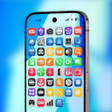
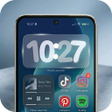
Launcher Phone: Custom OS, from CAA Studio, reworks Android home screens to introduce motion-led personalization and a clearer visual layout. The app replaces static widgets with a fluid widget system, adds dynamic resizing, a glass-style weather element, and adaptive light/dark themes to preserve high-clarity visuals. It targets users who prioritize aesthetic control and layout precision, offering deeper home-screen customization for people seeking a more organized, modern interface.
The launcher’s core distinction is a fluid widget system that makes widgets respond and animate during interaction rather than remaining static. That system delivers real-time information and smoother transitions while keeping a clean layout. Visual assets emphasize high definition and a "crystal clear" look, and the app exposes the glass-style weather element as a dedicated real-time widget for weather at-a-glance.
Users can adjust the size and scale of individual widgets and icons through the launcher’s layout controls, a capability described as dynamic resizing. The app supports third-party icon packs and includes its own premium themes, so you can pair scaled icons with theme assets. Those controls let people tune spacing and proportion without changing system-level launcher settings.
The developer describes a resource-efficient core intended to limit impact on battery and responsiveness while running animated widgets. The launcher is optimized for modern Android versions, and documentation notes that intensive widget activity can have a minor effect on battery life. That tradeoff is explicit rather than hidden, so users can measure real-world impact on their device.
Customization options are reachable by long-pressing the home screen or opening the dedicated settings menu, which exposes the fluid widget controls and theme toggles. Adaptive themes follow system light/dark preference, reducing manual switching. The app’s organization aims at users who want visual refinement without learning complex workflows, while still offering deeper tweaks for layout-minded people.
Launcher Phone: Custom OS is a capable option for Android users who want a motion-led, high-clarity home screen experience, and CAA Studio’s specialization in personalization tools suggests the app will receive ongoing attention. Users who rely on minimal persistent processes should monitor how many interactive widgets they enable, since heavy widget activity is noted to have a measurable, if modest, effect on battery usage.
Free
Compact launcher for dense Android home screens

Free
Nothing Phone Launcher: Customize Your Phone Experience
Free
Lattern: a calm daily memory grid for short, focused practice
Free
Enhance Your Android Experience with OS 18 Launcher Pro
Free
Modern Launcher with Unique Depth Clock Effect

A free program for Android, by AMB MD Agency.

A free program for Android, by KHUN SOE ZAW THU.

Smart Tv Launcher - A Personalization App for Android
DC 777 - A Personalization App with User-Friendly Interface
Customize Your Android with Themely - Icons & Widgets

Comprehensive Guide for AI Girlfriend Interaction

Transform Your Device with Live Wallpapers: Art Launcher


Comprehensive Privacy Protection with HydraLock

Essential Emergency App for Android Users
Enhance Your Photos with Perfect Hue Camera
Enhance Your Device with Stunning 4K Wallpapers