




3.4
Free
8Start Launcher
Create your own Windows Start menu


Safe & trusted downloads
The best software, verified by experts
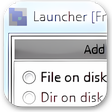
Launcher is an easy-to-use personal shortcut manager that can launch all kinds of files and programs. Drag-and-drop operations are supported; this means that when Launcher is in "Manage Items" mode, it is possible to configure shortcuts by "dragging" files from e.g. Windows Desktop and then "dropping" them into Launcher. One can create an unlimited amount of user defined sub-folders and item (e.g. program) shortcuts.
Launcher always resides in the system tray per default; however, one can turn this off in settings. Launcher also has various GUI options, e.g. customizable program font setup (name and size).
Free
Create your own Windows Start menu

Free
Install the latest driver for HP simplesave software
Free
Mac-style task bar for Windows

Free
Lightweight dock for quick app access
Free
Download Windows 10 Launch Patch 32-bit for Windows – the “day one” patch is ready to roll

Free
Efficient Application Launcher for Windows

Comprehensive MIDI Utility for Windows Users

Open Statistical Software for Data Analysis

Comprehensive Review of jamovi 2.6.44.0

JTDX: Versatile Digital Modes for Amateur Radio

User-Friendly Game Launching Menu

A free app for Windows, by Ben

Efficient File Synchronization with QNAP Qsync Client

All-in-One Free Smartphone Management Tool for Personal Computers

Set of freeware system utility tools

Efficient Steam Card Farming Tool
A dependable solution for Word file restoration